
01
Build the foundation
Gather the structure that guides the business so people can find the right way of working and use the same platform every day.
Most employee reviews end up in a Word document that nobody opens again. In AmpliFlow, the review connects to the competence matrix. Identified gaps become training plans. Agreements become actions with deadlines.
Used by organizations that take employee development seriously






Managers and employees get the conversation, responsibilities, history, and follow-up in one place. It becomes easier to turn a good discussion into concrete development.
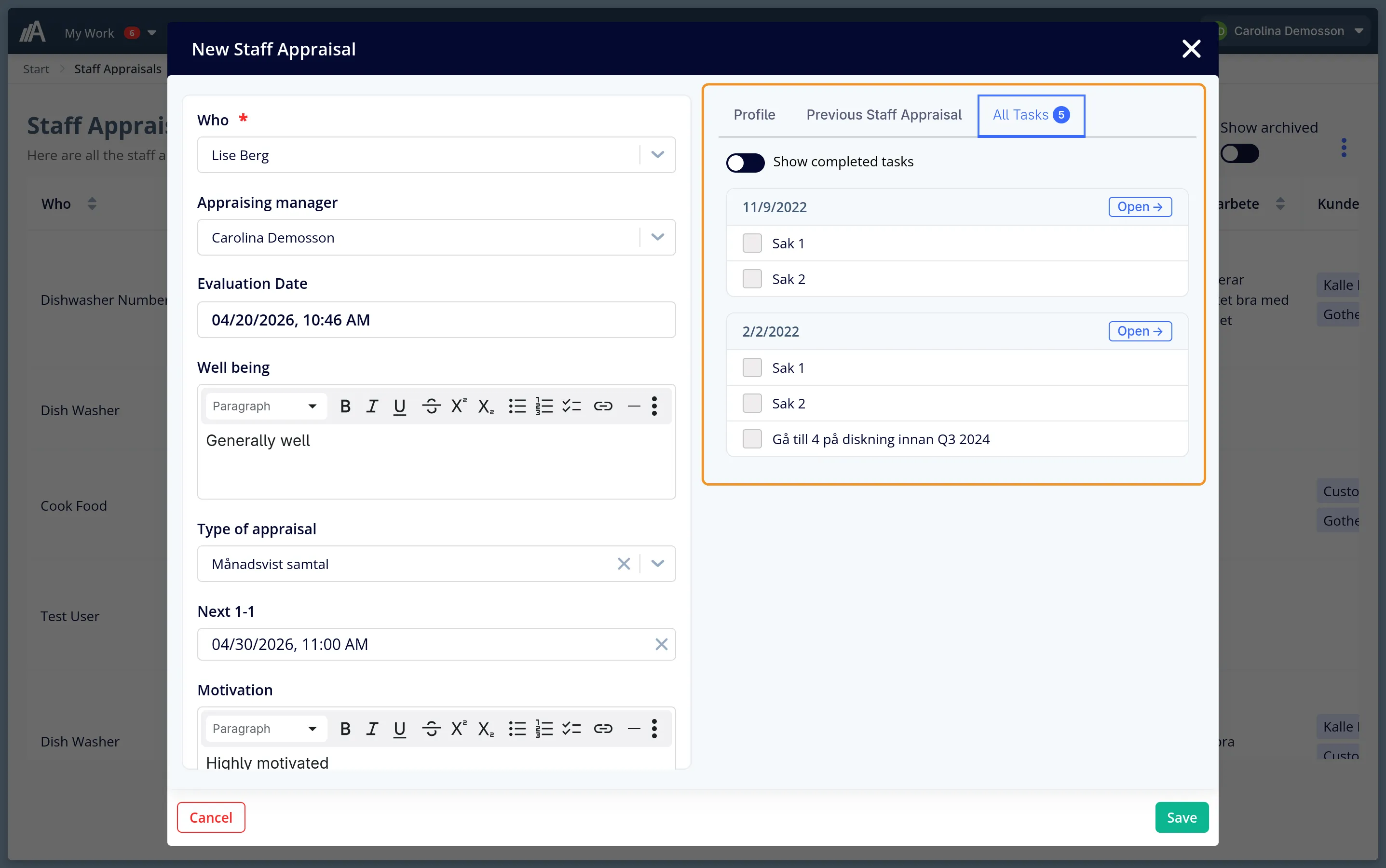
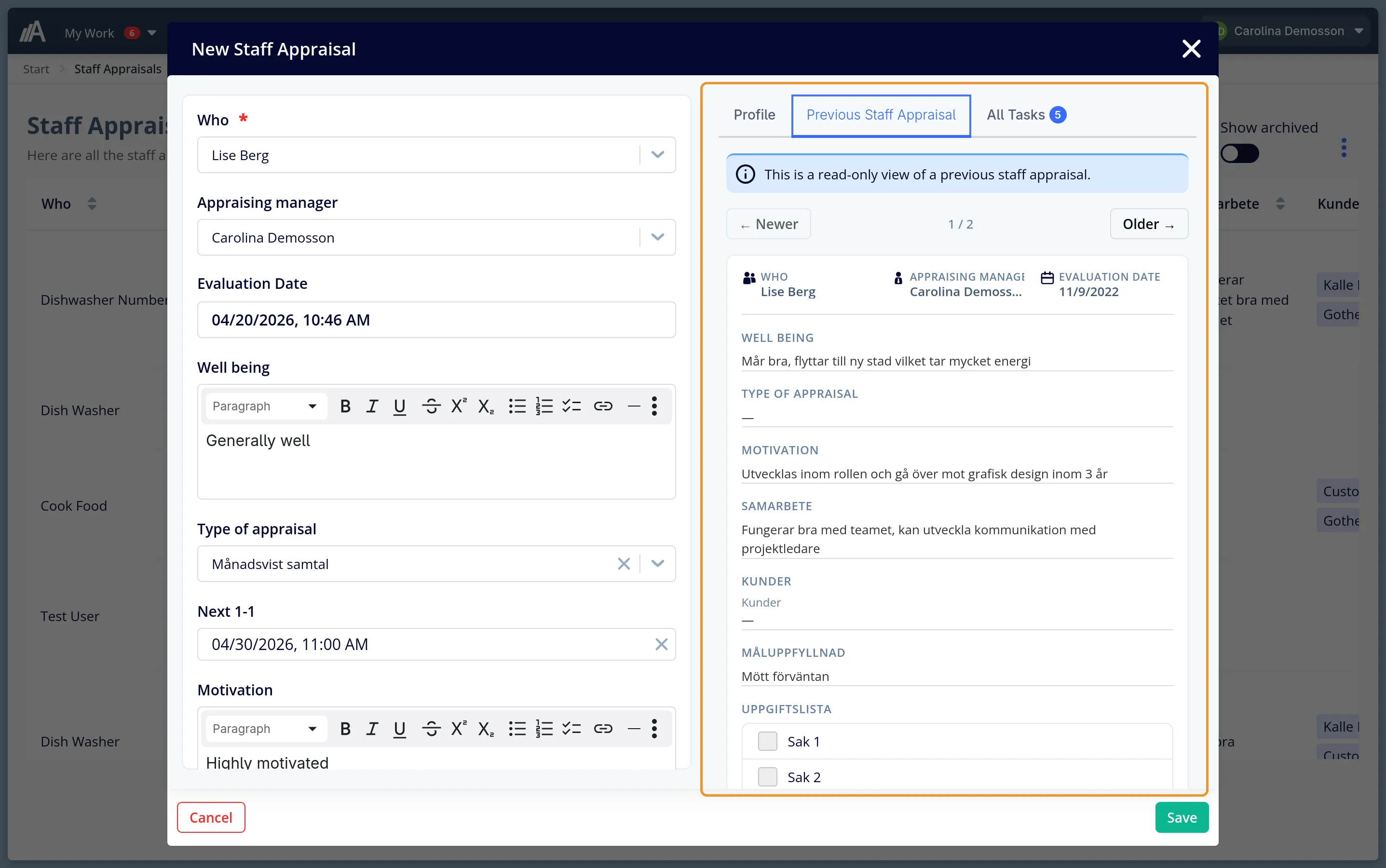
Tasks and responsibilities stay in the system after the review. The next follow-up starts from what you already agreed.
The review sits close to competence management, training plans, and actions. It is easier to keep development moving.
Completed reviews, documentation, and open actions are collected in one place. It is easier to see the current state without chasing input.
New fields in a template are added to existing reviews automatically. Everyone keeps working from the same structure.
Build a review template with your own questions. Text, multiple choice, checklists, files - you decide the format.
The manager sees the employee's profile, competencies, and previous reviews. All in one view during the meeting.
Competence gaps identified in the review connect to the competence matrix. Does the employee need further training?
Agreements become actions with responsible person and deadline. The next review shows what actually happened.
Build review templates with the fields you need. The system keeps track of who talks to whom and syncs template changes automatically.
Employee reviews in AmpliFlow are not an isolated function. They connect to competence management, actions, and documentation.
See the employee's competence matrix during the review. Identify gaps and connect to training plans.
Agreements become actions with responsible person and deadline. Follow up that they are completed.
All review records collected, searchable, and available for the next review.
Overview: which reviews are completed, which gaps are identified, which actions are open.
Start where the need is highest. Add more parts as the business grows, without creating new silos or losing context.
Gather the structure that guides the business so people can find the right way of working and use the same platform every day.
Keep projects, goals, meetings, and reporting together so leadership can see what is happening without side systems.
Turn day-to-day signals into actions that someone owns, follows up, and closes in one shared flow.
Bring documents, checklists, suppliers, legal requirements, and competence into one place so follow-up and audits get easier.
Processes, goals, projects, risks, documents, people, and external requirements live in the same platform. Start where the need is highest, then expand without adding new silos.
18 tools selected
What you need to know.
Text, multiple choice, checklists, date, time, file upload, image upload, barcodes, and links to users, customers, suppliers, and lists.
New fields are added automatically to all existing reviews using that template. Existing data is not affected.
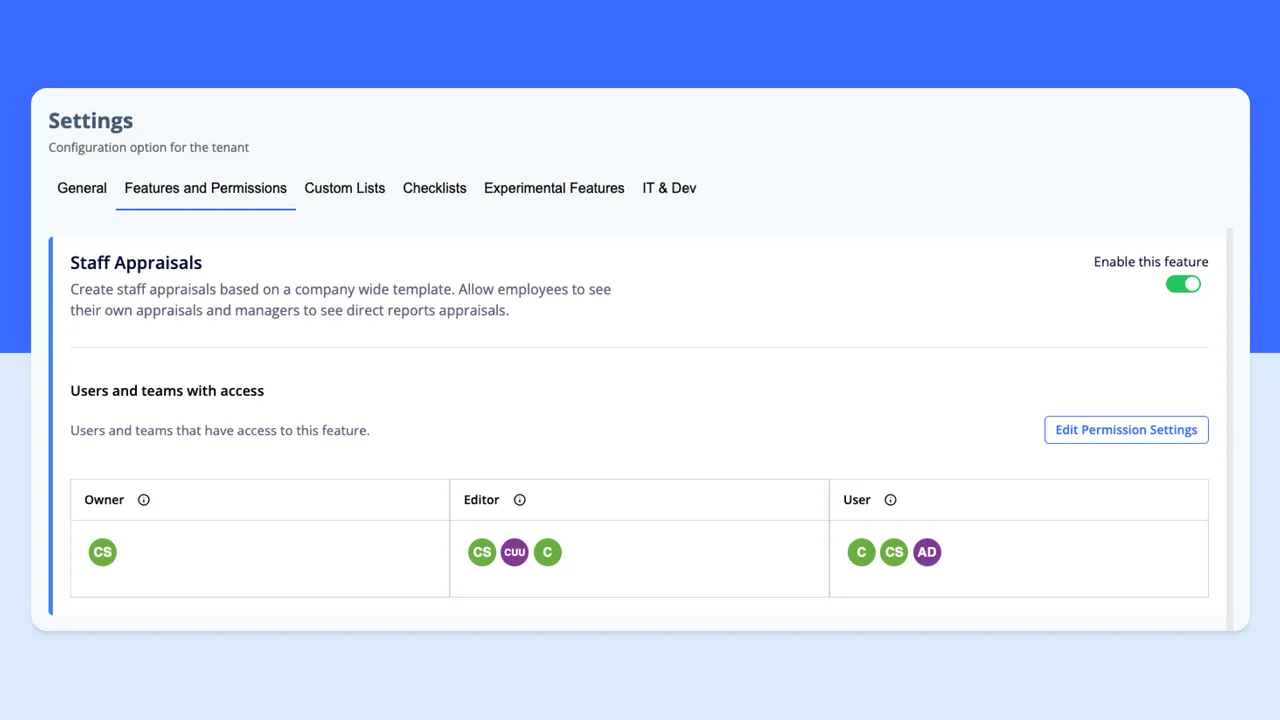
Three roles: owner (full control), editor (can change reviews), and user (read-only). Managers see their own employees' reviews.
The employee's competencies and profile are shown during the review. Gaps that are identified can be linked to training plans and actions in the same system.
All data is stored securely within the EU. Employees have access to their own data, and you can handle deletion when employment ends.
Book a meeting and we will show you how AmpliFlow connects employee reviews to competence management, training plans, and actions.