
Stop wasting time searching for documents
SharePoint returns 47 results. The intranet is loading. Teams has the wrong channel. Anna is in a meeting.
62% of employees spend too much time searching for information at work. Not because it doesn't exist, because it's in the wrong place.
From concrete plants to tech offices, everyone has documents that need to be correct, current, and findable.






Stop searching five systems
When documents are spread across folders, email, and different workspaces, it quickly becomes unclear what is current. In AmpliFlow, all documents live in the same system, the same folders as your processes, risks, and deviations. It works like Windows Explorer. Folders, click, done.
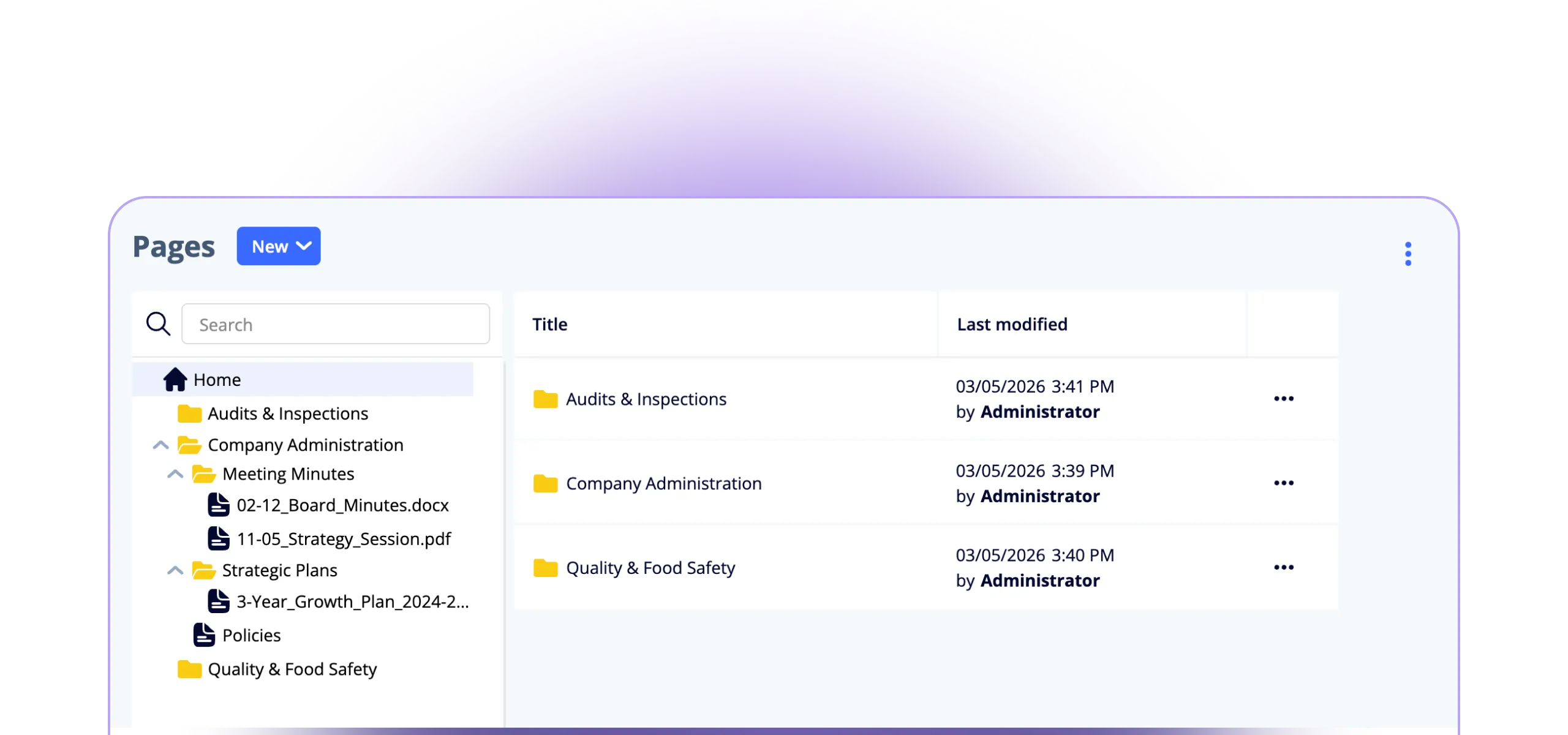
- Folder structure that works like Explorer, no training required
- Write directly in the system or upload files: Excel, PDF, CAD, anything
- Permissions and version history: the right document, the right people, and less searching
- Version history included, but that's not the point. The point is everything lives here
Documents that live in context
Documents in a folder pass the audit. Documents connected to processes, competencies, and training get you through the workday.
Processes
Changing your onboarding process? AmpliFlow shows which instructions are no longer accurate. No outdated documents in circulation.
See processes →Competence
Connect training materials to competence requirements. New employees find everything they need to learn without asking around.
See competence →Improvements
A deviation leads to a corrective action. The action changes a way of working. The way of working gets documented. The circle closes automatically.
See improvements →From blank page to searchable knowledge
Four steps. The same simple logic as a normal folder structure.
Write
Open a new page and start writing. Not in Word. Not in Google Docs. Directly in your management system.
Organize
Create directly in the right folder. Same logic as your file server, but everyone can reach it, everywhere.
Grant access
Each user gets a general role (Owner, Editor, or Viewer) that applies to all pages. Need a specific folder or file to have its own rules? Set unique permissions with one click.
Find
Search. Click. Done.
Unlimited folder structure
Build the hierarchy that fits your organization, as many levels as you need. Permissions flow down but can be overridden per folder or file.
Attachments and files
Upload templates, drawings, and reference materials. Preview images and PDFs directly in the document.
PDF export
Export with custom headers and footers. Perfect for training materials or when someone needs paper.
Answers about document control
Questions about document management in AmpliFlow.
How is this different from the Policy tool?
How do we find the right document?
How do permissions work?
Can we import documents from SharePoint?
Is it as simple as Explorer?
Have more questions?
We're happy to show you whether AmpliFlow fits your documentation needs.
Talk to usHow many systems are you searching today?
SharePoint, Teams, the intranet, email, the file server. Book a demo and we'll show you what it looks like when everything is in one place.
Book a demo