
Since autumn 2025, AmpliFlow has added the Projects module, acknowledgements for internal News, and more PDF settings for reports. Year Wheels can now appear in Outlook, documents can be governed with permissions and history, and AI support can be used in more parts of the system. Use this roundup as a checklist for what to try, enable, or follow up after the summer.
Work got its own place in Projects
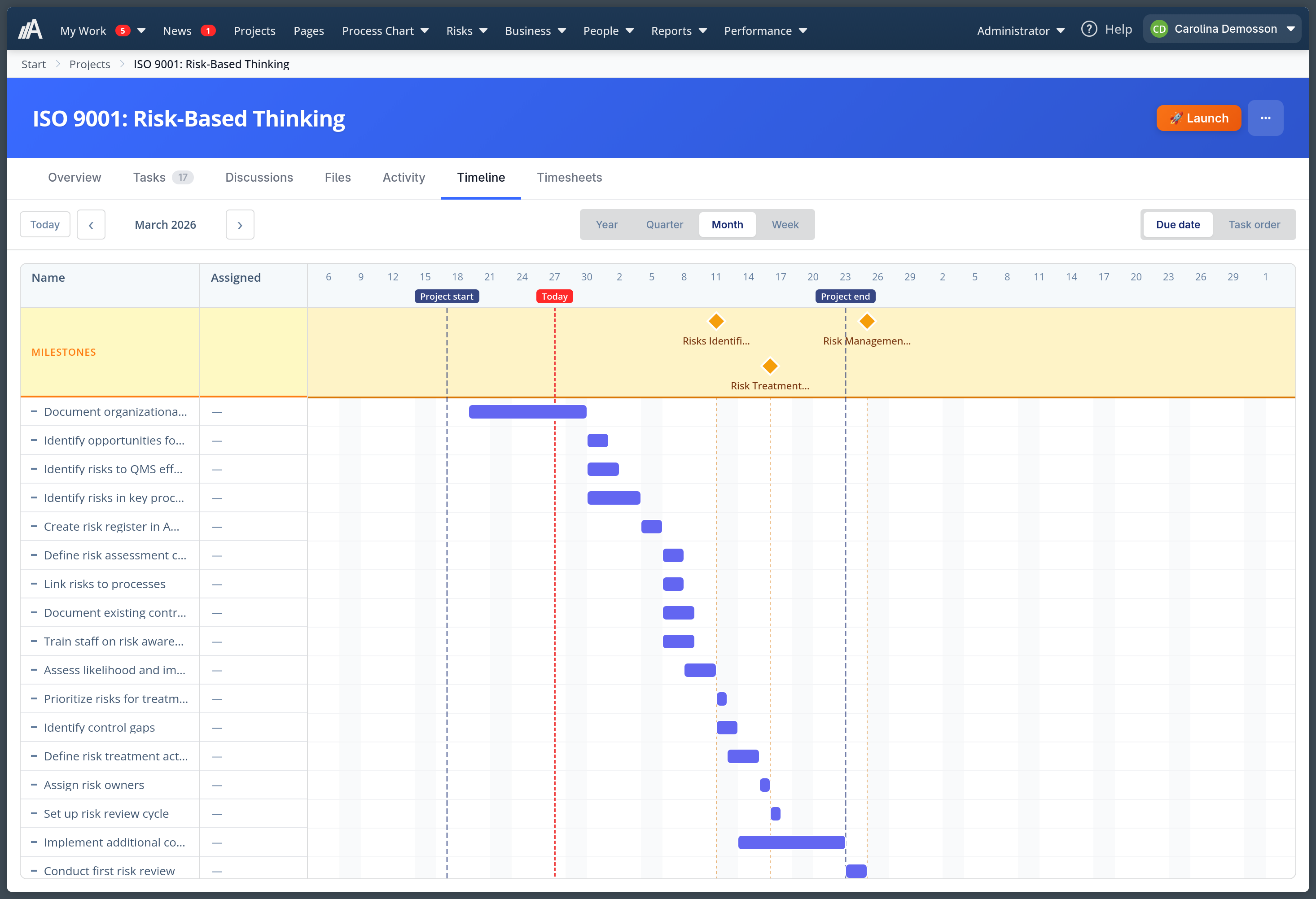
In Projects, project managers can collect tasks, subtasks, milestones, files, and discussions for customer projects, improvement work, and internal projects.
When Projects launched as a beta, the foundation was in place. Since then, the project view gained clearer comments, email on @mentions, faster ways to add tasks, and better timeline support for work that does not have exact dates.
Projects can now be closed, so finished projects no longer appear together with active work.
Year Wheels moved into the calendar
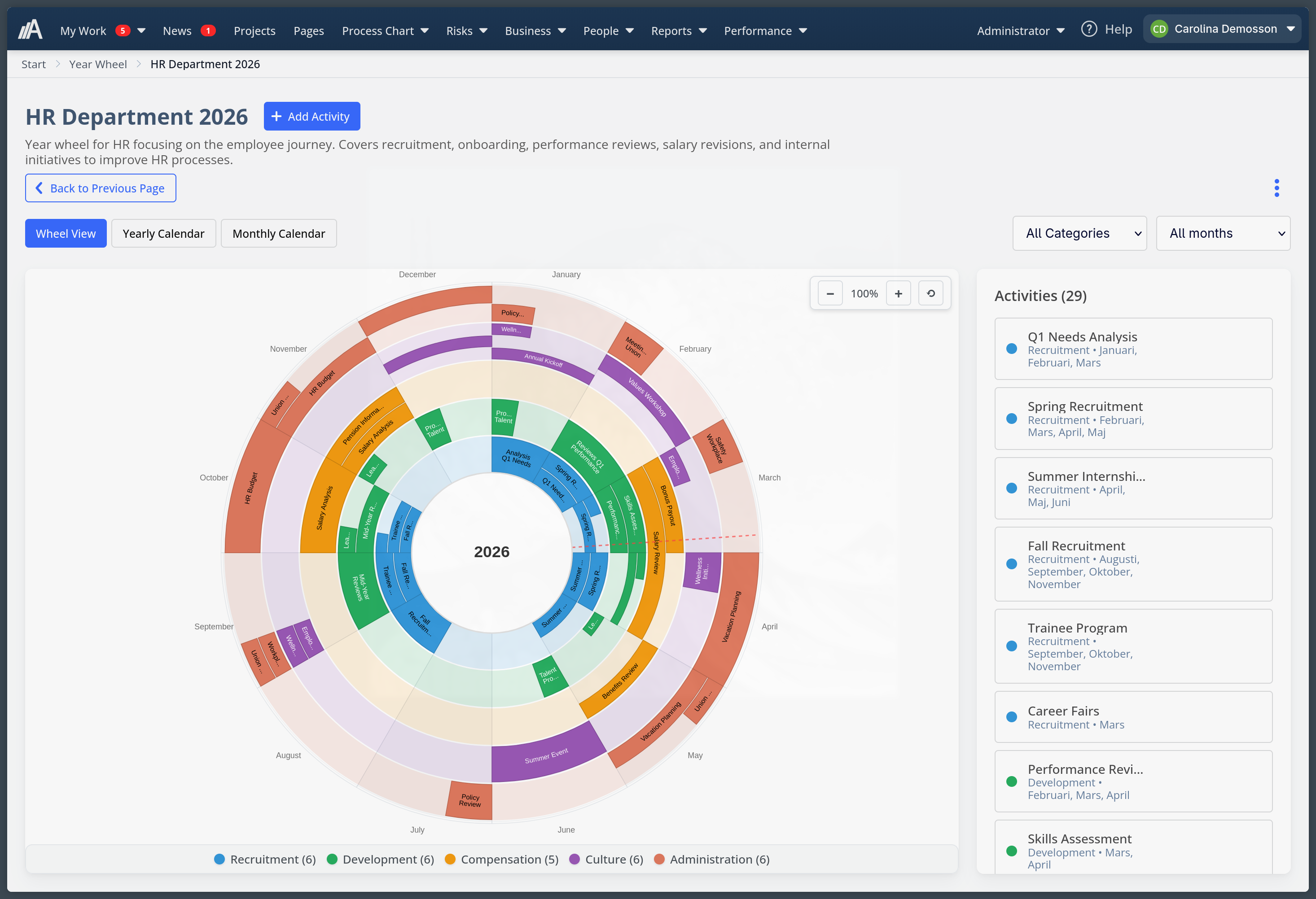
Year Wheels is still where recurring activities are planned and maintained. The difference is that the plan no longer has to stay there.
Year Wheels can be published as calendar subscriptions and shown in Outlook or other calendar apps through .ics. The annual plan is still updated in AmpliFlow, but appears in employees’ calendars.
HR, quality managers, and team leads can see annual activities in Outlook before they are missed, while the annual plan is still maintained in AmpliFlow.
Internal News got acknowledgement and follow-up
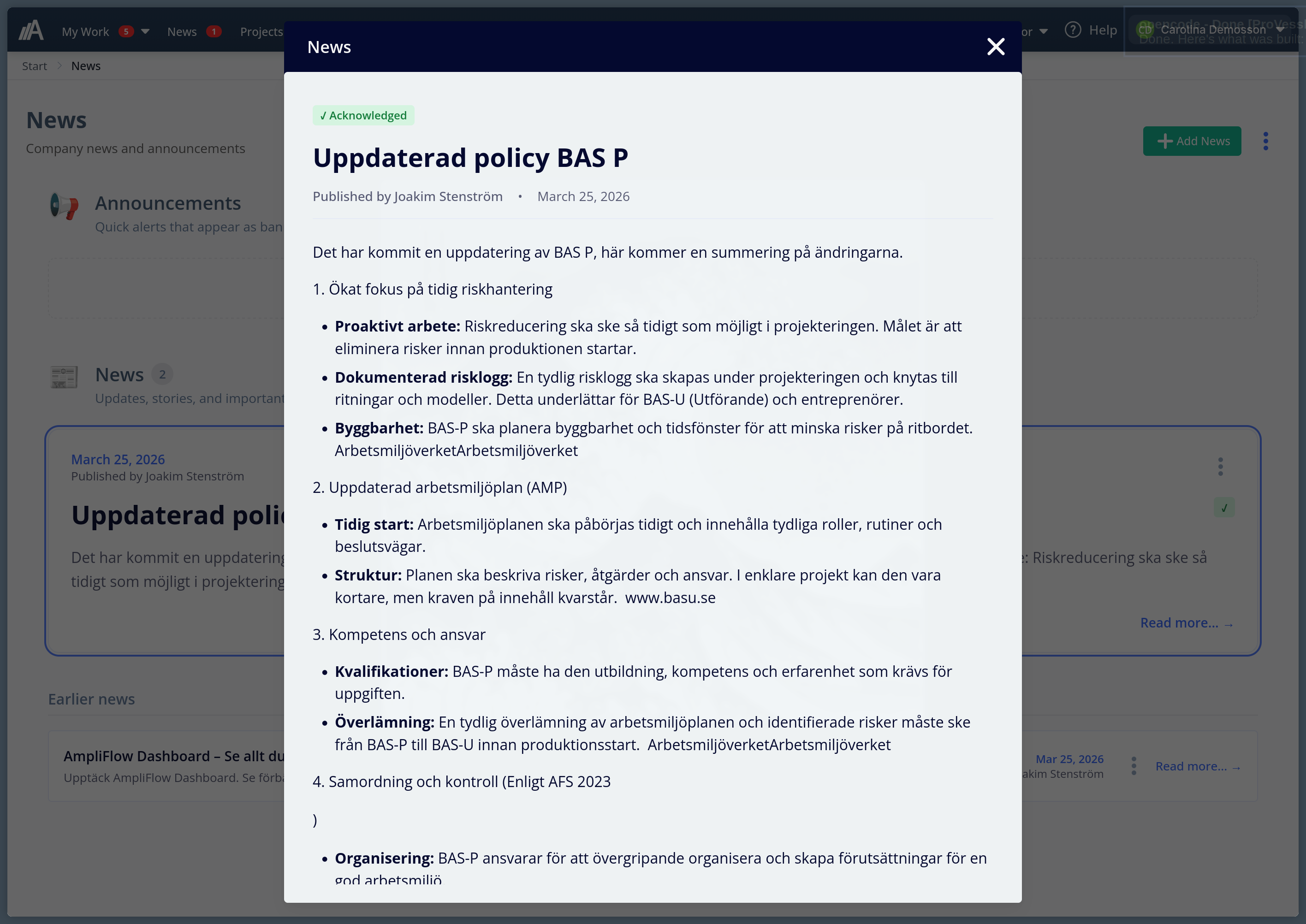
News lets you publish internal information directly in AmpliFlow and target it to teams, roles, or individual users.
For a normal update, publishing and letting people read is often enough. For information that must reach people, such as a new policy or an updated procedure, you can require acknowledgement with a deadline and see who has read it.
After publication, owners can filter news by author and date, sort by publish and expiry date, see the target audience more clearly, and open images in preview.
Pages brings procedures, attachments, and permissions together
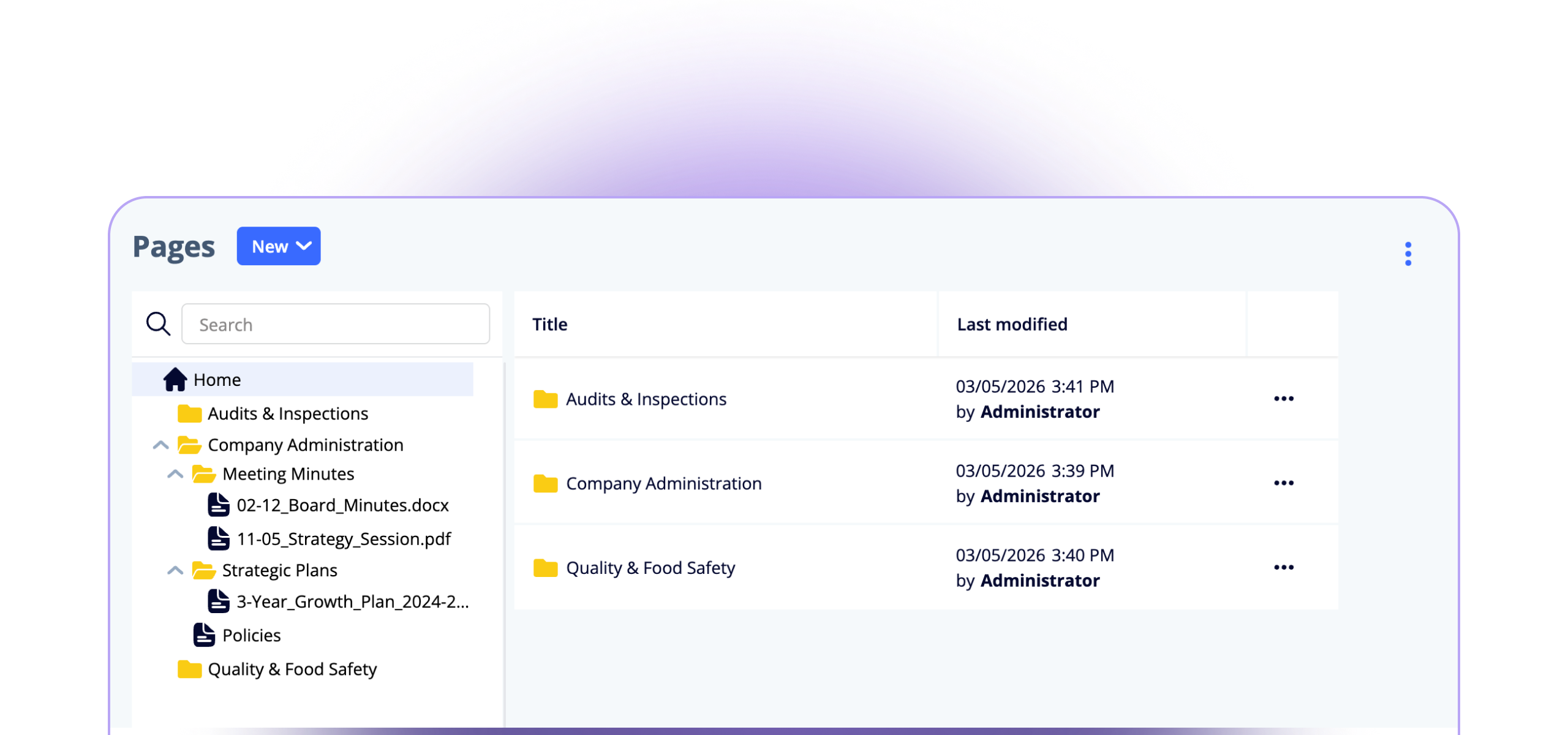
Pages is now a document area for procedures, policies, and other controlled content.
You can upload PDF, Word, Excel, and PowerPoint files, choose owners, editors, and readers, print pages without page navigation, and generate PDFs directly from pages and markdown. On folders, pages, and files, it is clearer which permissions apply and which changes have been made.
Procedure owners can work with text, attachments, permissions, printing, PDF export, and history in the same place.
Controls and SoA evidence can be followed up in the management system
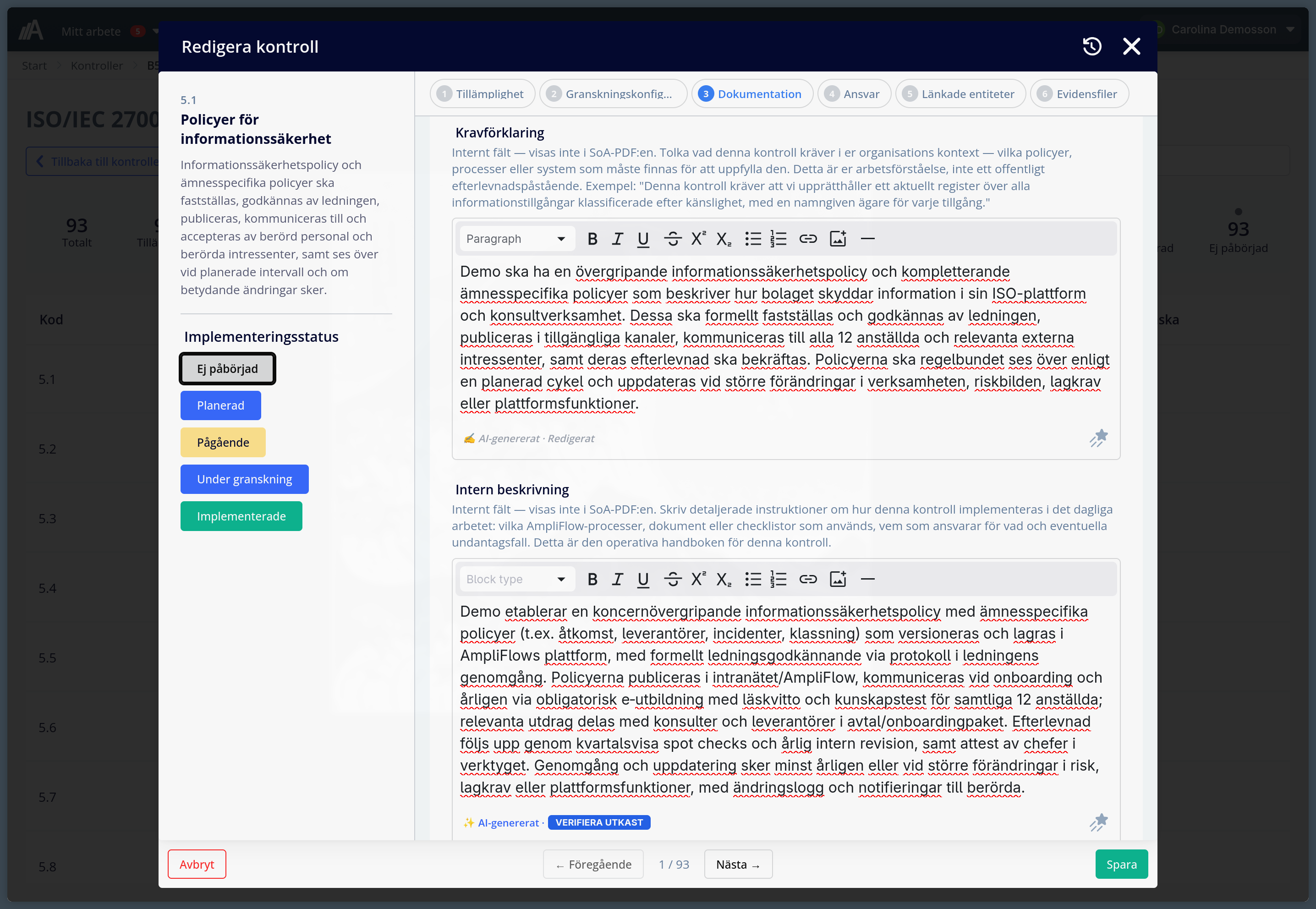
Information security owners can follow up controls, SoA evidence, and local requirements in Controls.
The person who owns a standard or AI control can mark whether the control applies, write how it is implemented, link evidence, and export the SoA as PDF. Custom controls let you add customer requirements or internal requirements alongside the control library.
The person who owns a control can see status, applicability, and linked evidence without searching through separate SoA files.
Timesheets became less dependent on memory
Calendar events can suggest timesheet rows, and saved rows stay in place when the user changes week.
AmpliFlow can use external calendar events as context when time is reported. Matching rules can connect events to projects, tasks, and milestones, so recurring meetings and planned activities land closer to the right work.
Rows suggested by the system or added by the user stay in place when the week changes or the page reloads. That reduces duplicate entry and after-the-fact cleanup.
Reports provide evidence for audits and customer questions
When an audit, customer question, or internal review needs evidence, reports should be exportable without manual cleanup.
In the November update, PDF template layout, image widths, font size, and content could be controlled more precisely. Checklist reports can be downloaded as PDF, printed more completely, and sorted in more ways.
Values from custom lists can also follow into PDF reports. That is especially useful when checklists are connected to equipment, materials, batches, or other structured registers.
Tables, filters, and navigation need fewer clicks
Cmd+K opens modules from the keyboard, filter links preserve the selection, and tables show when data is loading.
In the March update, the top navigation replaced the side panel and made product areas clearer. The April update added Cmd+K, or Ctrl+K on Windows, so users can jump to the right module. Shared links keep filters, tables show when new rows are loading, and reports sort the same way in more views.
Anyone who shares a deviation list or report view can avoid recreating filters and sorting manually.
Checklists, labels, and AmpliFlow Box became better connected
When checklists control printing through AmpliFlow Box, operators can use QR codes in labels and filter print logs.
QR codes can be used in label templates. Logs can be filtered by time, and barcode fields show more clearly when a value cannot be used.
AI assistants can work in more modules within the user’s permissions
The MCP connection shows which AI tools may read, create, or change records in AmpliFlow.
In the June updates, the hosted MCP connection gained more tools for AI assistants such as ChatGPT and Claude. When an administrator has enabled the connection and selected permissions, the assistant can work within the user’s access in more parts of AmpliFlow, including projects, tasks, checklists, processes, risks, improvements, controls, and news.
Administrators can also see whether an AI tool may only read, or may also create and change records. Read-only mode shows no write tools, and public requests without login are blocked by default.
Choose the first test by where work gets stuck
Start with the part that fits your work right now:
- Open Projects if you want to collect planning, tasks, and discussions.
- Publish a Year Wheel to Outlook if annual planning is easy to miss.
- Try News for internal information that should be read and acknowledged.
- Open Controls if SoA and control work still live in separate files.
- Try timesheets with calendar context if people often report time after the fact.
If you want every release note, the full archive is in the changelog.
Send ideas to feedback.ampliflow.com
At feedback.ampliflow.com, you can suggest new features, see what other customers ask for, vote on ideas, and follow status.
When you leave feedback, include the module, the role that gets stuck, what takes time, and the result you want. That makes the suggestion easier to review and prioritize.