
Improved staff appraisals, keyboard navigation, and a bunch of fixes
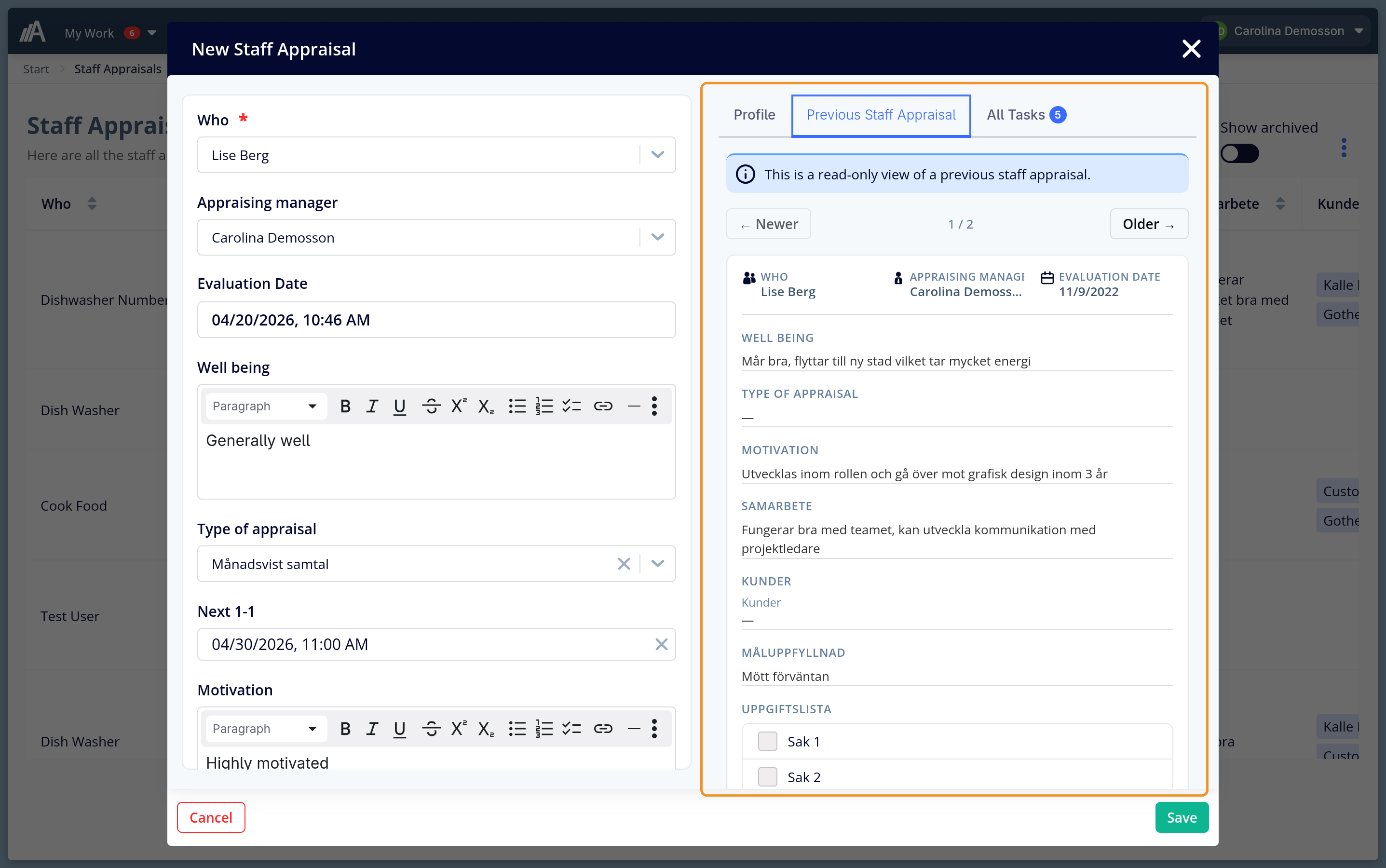
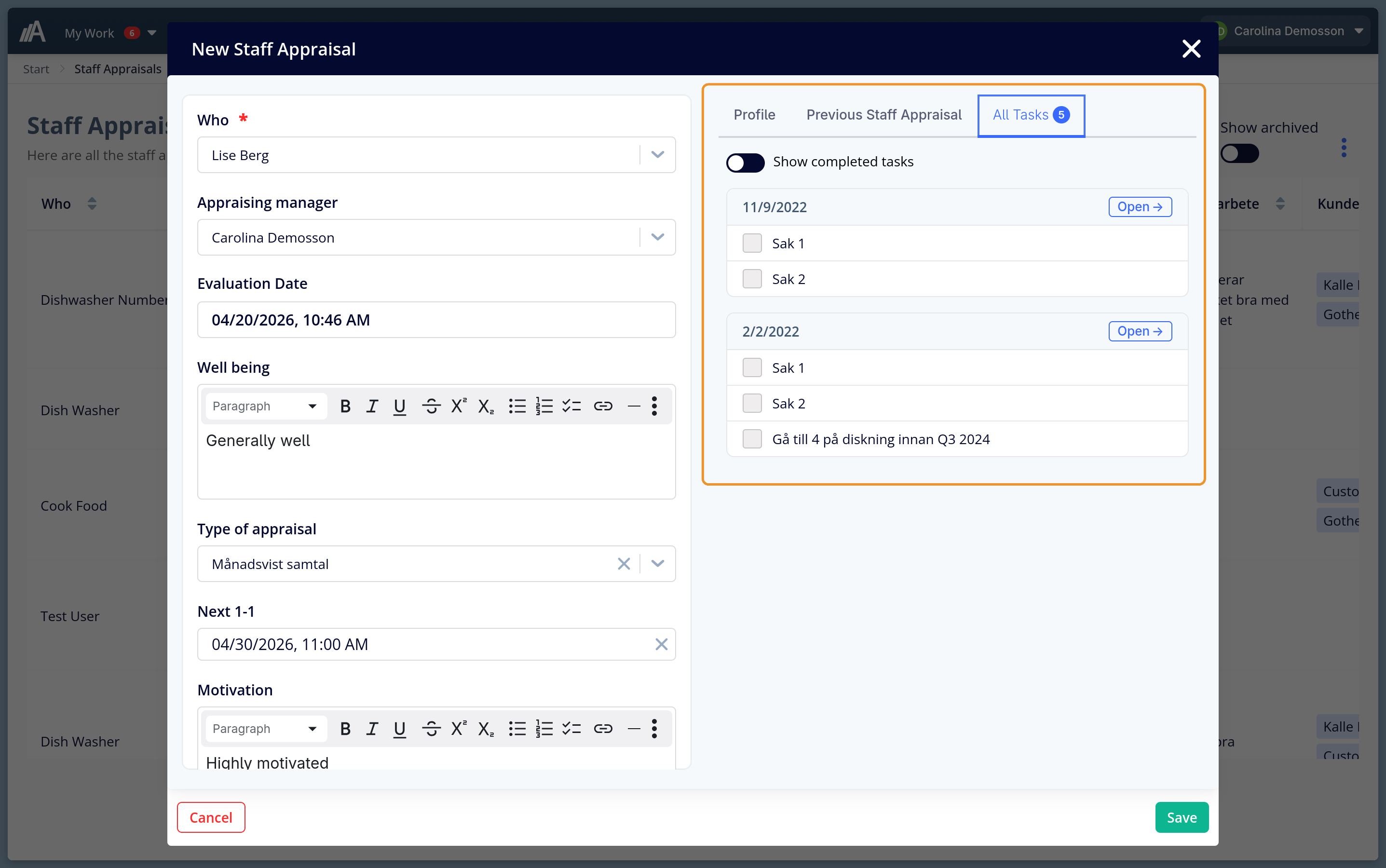
When you open a staff appraisal, you can now see everything from previous appraisals without leaving the form. A new panel on the right shows two tabs: Previous Staff Appraisal (a read-only view of each past appraisal with navigation arrows to step through them) and All Tasks (every task from every previous appraisal, grouped by date, with an “Open” link to jump straight to the source). It’s the context you need to have a good conversation - right there when you need it.
What’s new
- Staff appraisals now show previous appraisals in a side panel. Step through all past appraisals with navigation arrows and see all fields in read-only mode, including well-being, motivation, and task lists.
- All tasks from previous appraisals in one place. The All Tasks tab shows tasks from every past appraisal grouped by date, with a toggle for completed tasks and an Open link to the source appraisal.
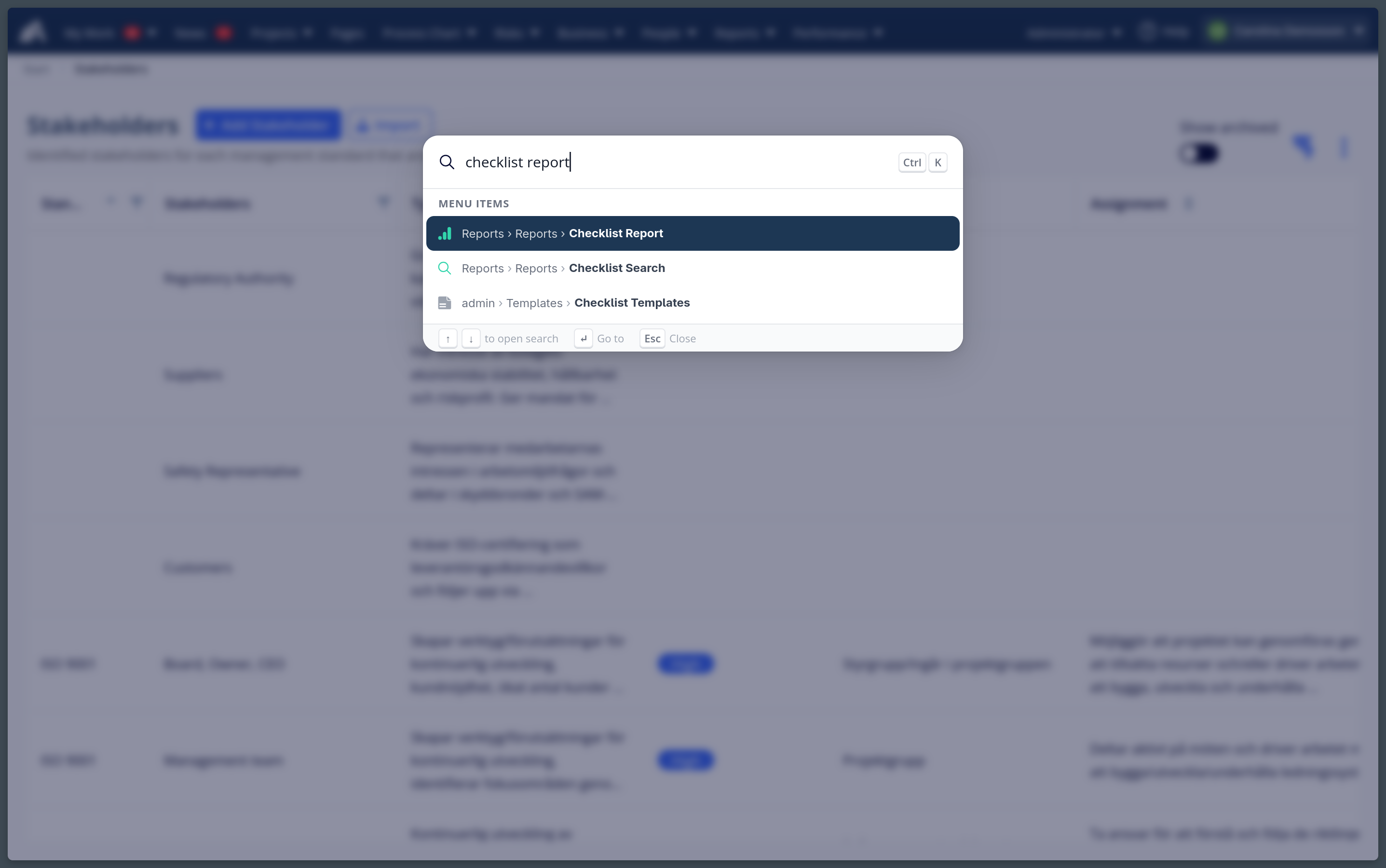
- Press Cmd+K (Ctrl+K on Windows) anywhere in AmpliFlow to search and navigate - jump to any page or module without using the menu.
- A new All News page shows all news items in a table view.
Improvements
- Checklist reports can now be sorted by activity value, text, and expanded columns.
- Tasks in projects can now be tracked against milestones.
Fixed bugs
- Year wheel no longer crashes when encountering old recurrence types with missing values.
- Direct report and timesheet display issues resolved.
- Various cosmetic and layout fixes across the app.
Questions about any of these changes? Contact support@ampliflow.com.
This page is also available in Swedish.