
News, new navigation, ISO Controls, Timesheet, Year Wheel, and more
Three weeks of releases. The headline is a full navigation redesign, but there’s a lot more underneath it.
What’s new
- News: internal company news publishing, built into AmpliFlow. Authors write articles, target them to specific teams, positions, or individual users, and see exactly who has read them. For compliance content (new policies, updated procedures) there’s a mandatory reading flag: set a deadline, write a custom acknowledgment message, and the system tracks explicit sign-off per user with CSV export. Engagement analytics cover scroll depth, view time, and reader vs. skimmer classification. Comments and emoji reactions are supported. The nav shows an unread count badge that refreshes every 60 seconds. Enable it under Settings > Experimental Features.
- New horizontal top navigation with mega menus. The sidebar is gone. Navigation is now a top bar organized by domain: My Work, Performance, Processes, Risks, People, Business, Reports, and Admin. Breadcrumbs appear across all pages. The dashboard is now the default start page.
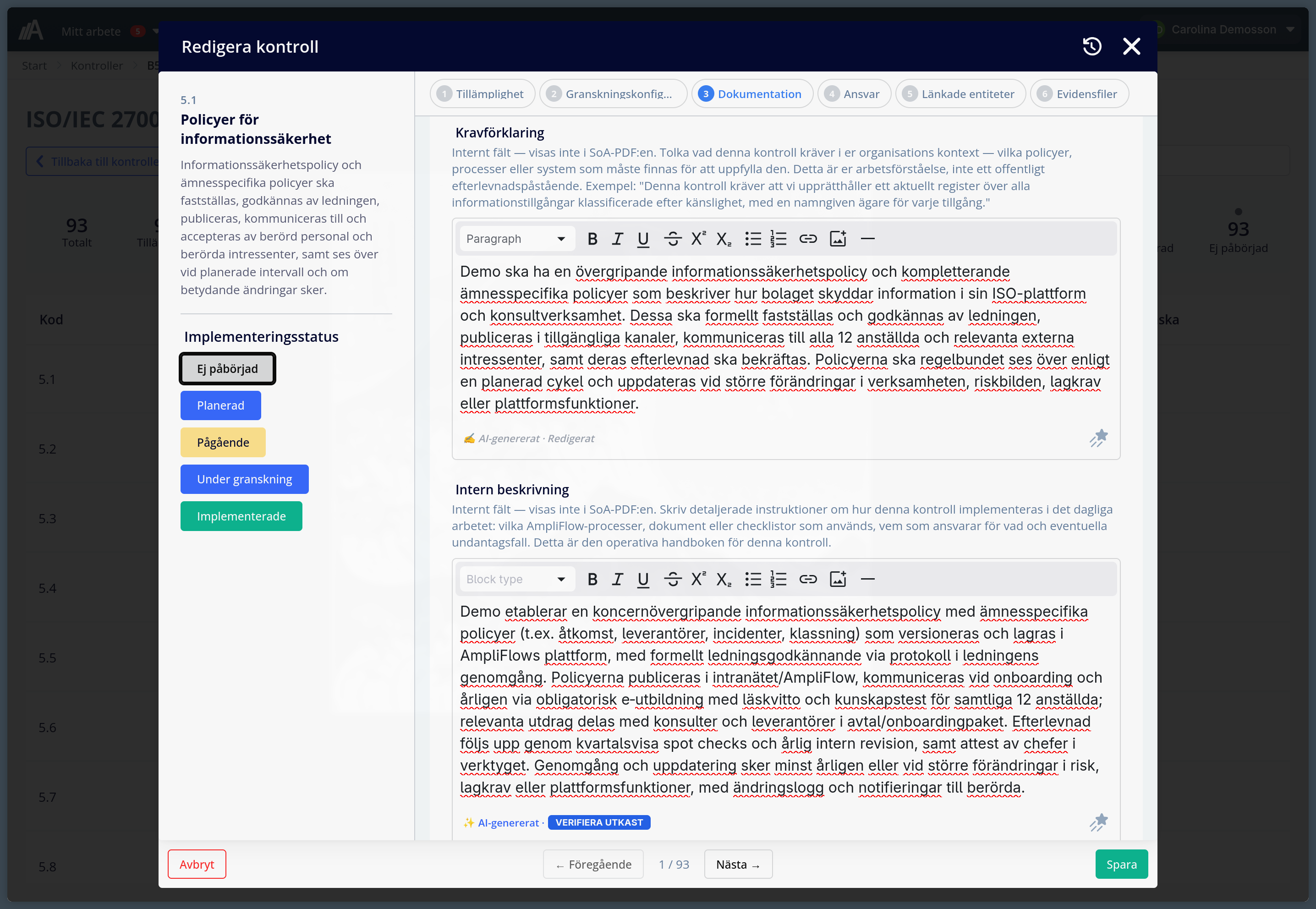
- ISO Controls: manage your Statement of Applicability for ISO 27001 and ISO 42001 natively in AmpliFlow. Activate a control set, work through each control to set applicability and implementation details, link to existing processes, risks, documents, and legislation, and export the SoA as a PDF for auditors. AI batch generation runs across all controls with progress tracking. All 93 ISO 27001:2022 controls are also available in Swedish.
- Timesheet (experimental): project-based time tracking. Employees log hours against project tasks, submit weeks for approval, and log leave (vacation, sick, parental, holiday). Managers approve, reject with notes, or lock weeks. Billable ratio tracking is built in.
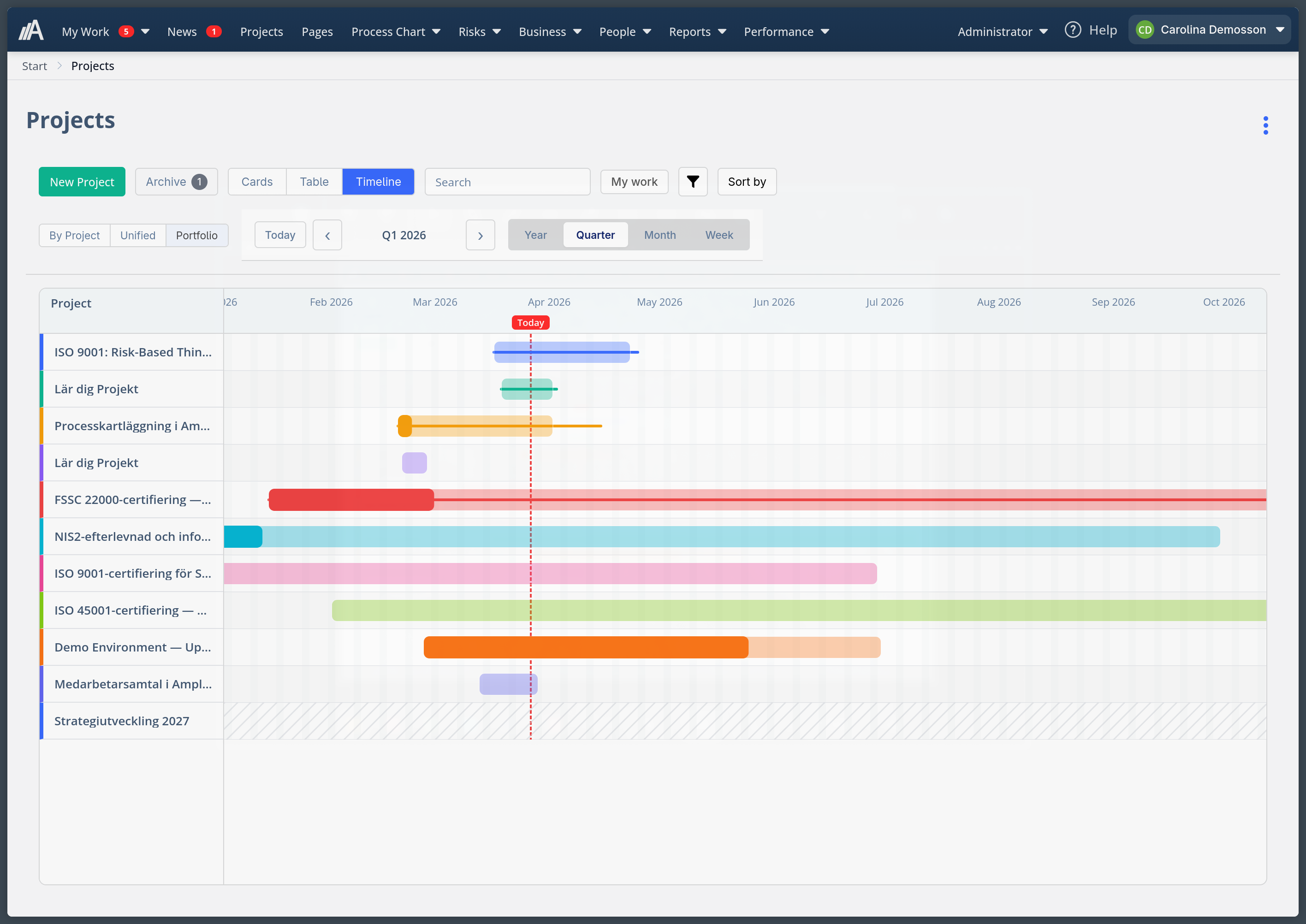
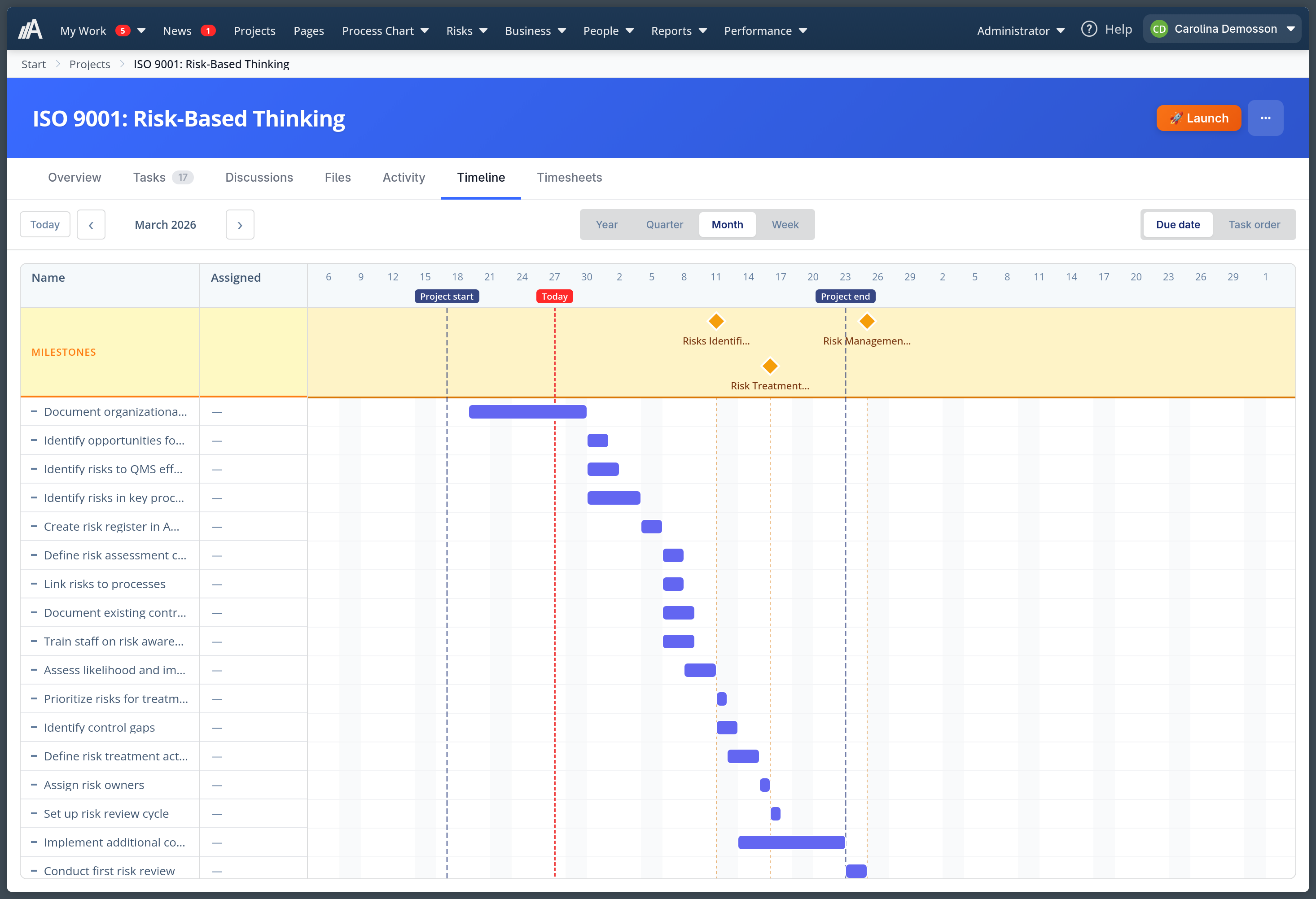
- Project portfolio timeline. A Gantt-style view of all your projects, showing start and end dates as bars. Drag to move or resize bars. The single-project timeline shows project boundary markers.
- @mention support in project discussions. Type @ to see a list of project members and select someone to notify. Mentioned members get an email and are highlighted in the discussion thread.
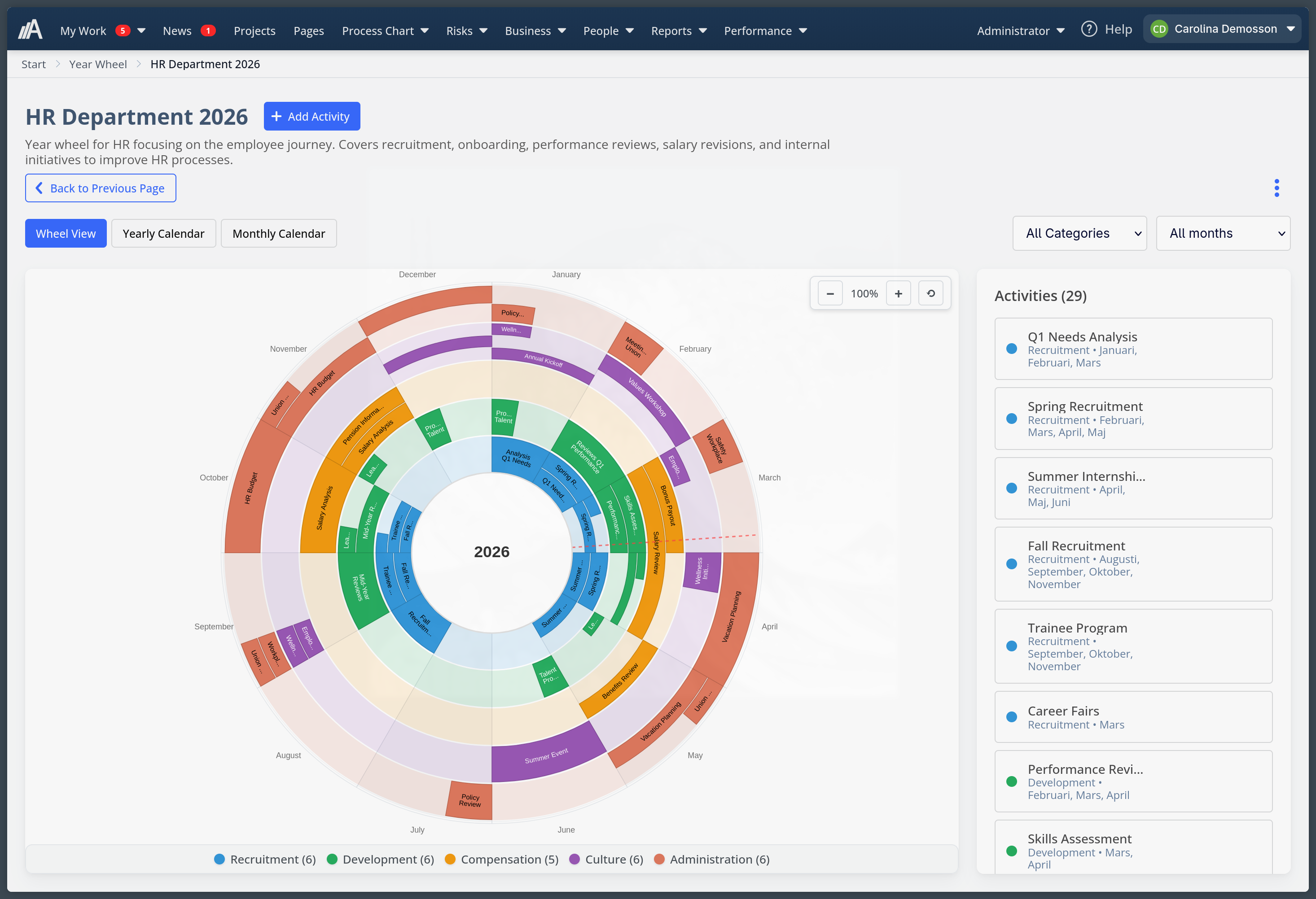
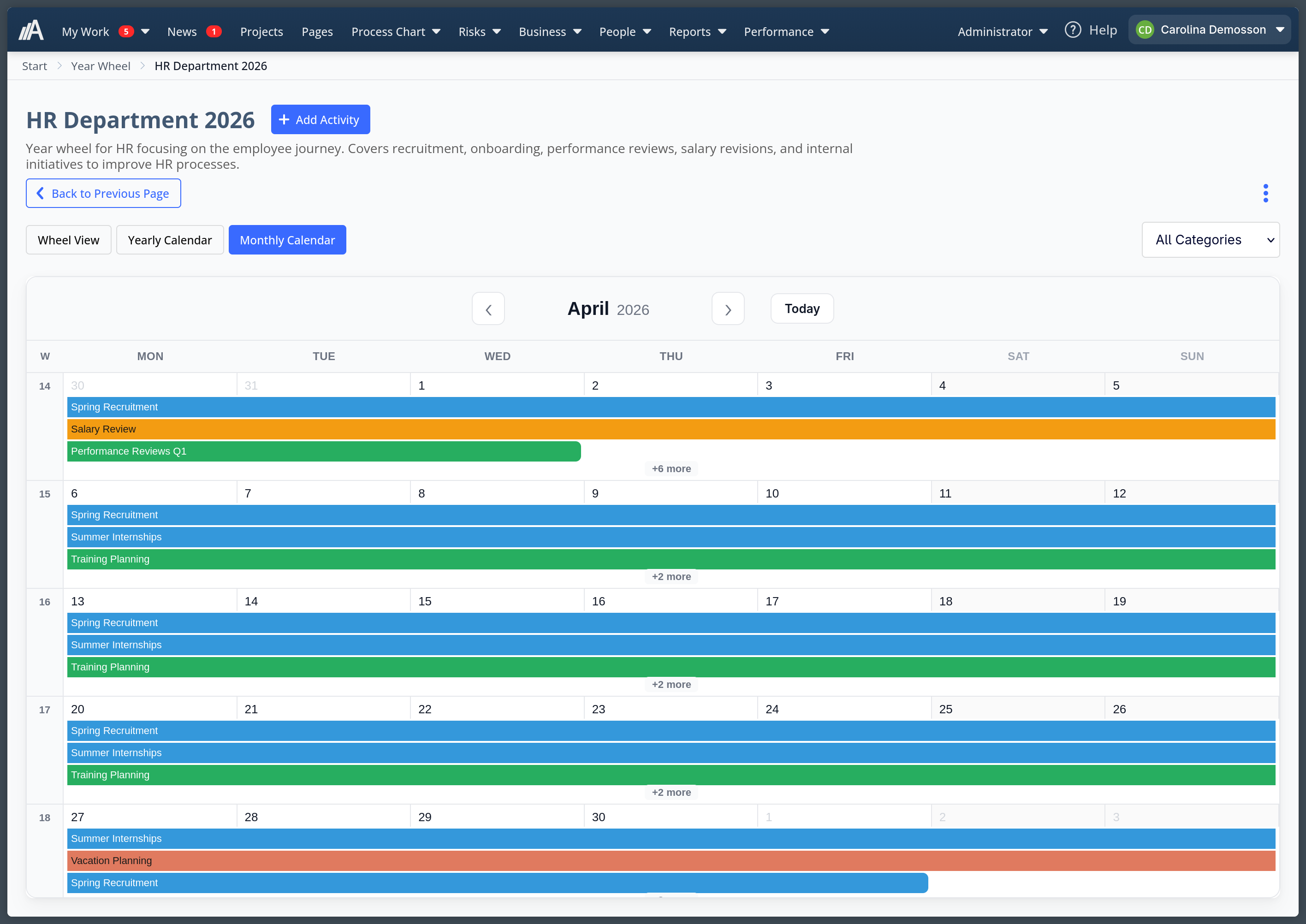
- Year Wheel (experimental). A circular visualization for annual planning. Choose from 12 industry-specific templates (HR, marketing, IT projects, municipalities, and more) or start from scratch. Categories and recurrence patterns are fully editable.
- Milestones as folders in Projects. Tasks can now be grouped under milestones. Drag tasks into a milestone to organize them, and collapse the milestone when you’re done.
- Pinned discussions in Projects. Pin important discussions to the top of a project and reorder pins via drag-and-drop.
- Improvement counters on customer and supplier pages. Each row shows open and closed improvement counts, both clickable to filter by status.
- Recursive folder deletion in Pages. Deleting a folder now shows a preview of all nested contents before you confirm.
Improvements
- Task lists can now be added directly to goals. Previously only available on measurements, task lists are now also attachable at the goal level.
- You can now attach multiple barcodes at once when importing to custom lists. Paste a list of barcodes (one per line) and they all get added.
- Subtasks in project tasks can now be sorted.
- Dashboard widgets (Improvements, KPI, Tasks) now navigate via standard links, so right-click to open in a new tab works as expected.
- Custom list item search is significantly faster for large lists.
- Middle-click on a project card opens it in a new tab.
- AI generation for Statement of Applicability descriptions produces better output from the controls you’ve already filled in.
Fixed bugs
- Project ordering was getting scrambled after editing project properties or after a page reload. Drag-reorder now uses fractional indexing, which prevents index collisions.
- Authentication failures now return the correct HTTP status codes (401 for invalid credentials, 400 for SSO configuration errors) instead of always returning 200.
- Copy-paste selection had a bug where pasted content could land in the wrong place. Fixed.
- Several stray bugs in the Projects tasklist and layout have been resolved.
- AI features now require explicit consent before generating content.
Questions or need help getting any of these features set up? Visit our support page or email support@ampliflow.com. We read every message.
This page is also available in Swedish.