
AmpliFlow has grown a lot over the last year. Some updates are large and obvious right away, such as Projects, internal News, and Year Wheels in Outlook. Others only show their value after a few weeks of use, when reports become easier to print, documents easier to control, or timesheets less irritating.
This article brings together the changes most likely to affect weekly work for teams that use AmpliFlow continuously. It is not a full changelog. It is an overview of the updates that changed planning, documentation, reporting, and follow-up inside the system.
Projects became a real workspace
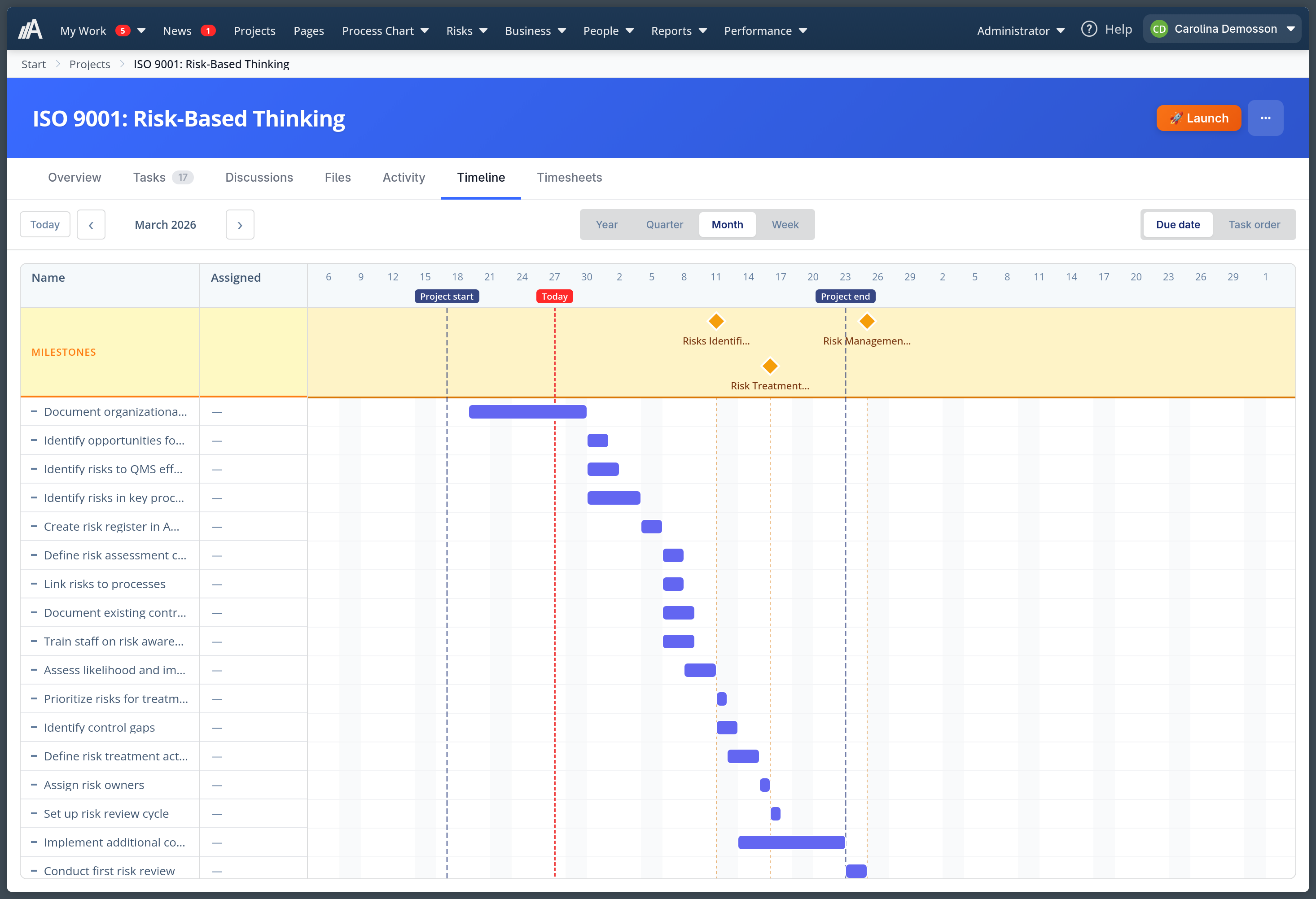
One of the biggest updates is Projects. It started as a new way to gather work inside AmpliFlow, but it quickly grew into a place where you can plan, follow up, and finish larger initiatives without jumping between several tools.
You can create projects, break them down into tasks and subtasks, set milestones, collect files, and write discussions where comments stay connected to the work itself. Over the last few months, project support improved step by step: unread comments became clearer, @mentions started emailing the right person, tasks could be added directly in lists, and the timeline became more useful for work that does not have exact dates.
A small but important detail came later: projects can now also be closed when the work is done. That sounds obvious, but it makes a real difference for teams who want to see what is actually active right now, without old projects still cluttering the view.
Year Wheels moved into the calendar
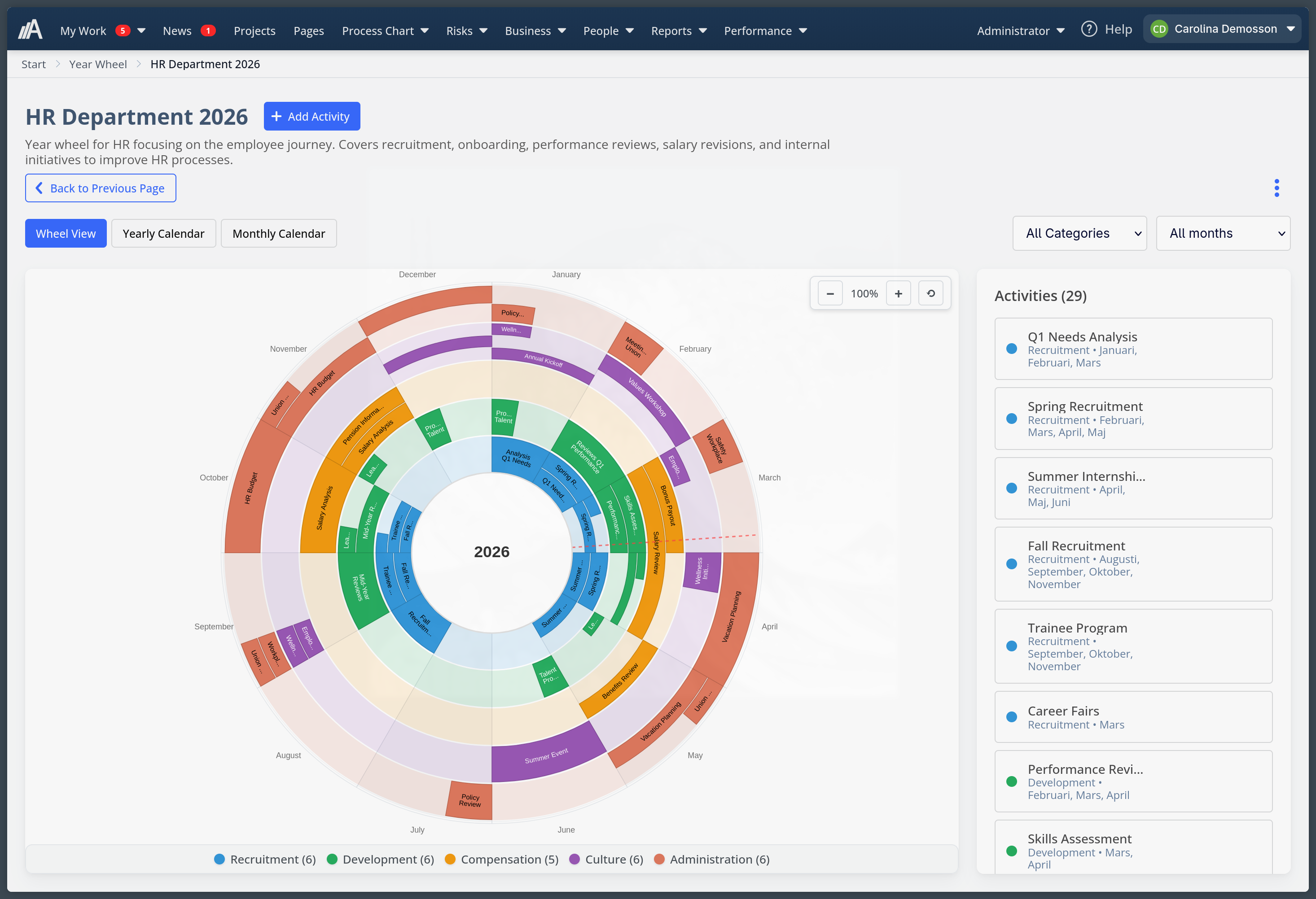
Year Wheels is another feature that became more practical over time. At first it was mainly about planning recurring activities inside AmpliFlow. Then the layout, labels, and month view placement improved. But the biggest everyday lift came when Year Wheels could be published as calendar subscriptions.
Now you can show a Year Wheel in Outlook or other calendar apps through .ics, while AmpliFlow remains the place where the content is maintained. That means annual planning no longer has to stay hidden in a separate system window. It can live where people already plan their days.
For many organisations, that is exactly the kind of improvement that decides whether a feature gets used every week or forgotten after rollout.
Internal news can be published and followed up
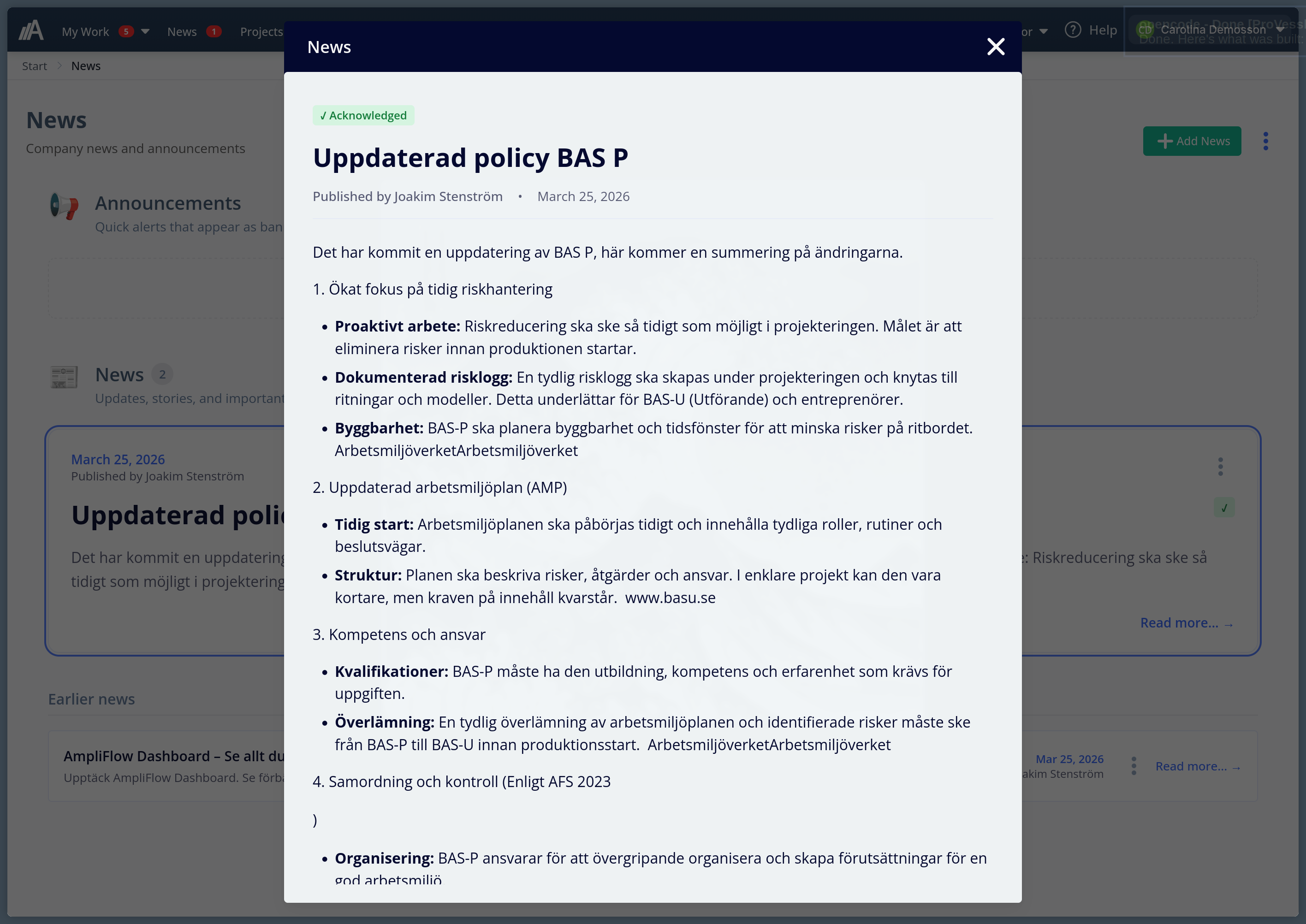
News is one of the larger new modules in AmpliFlow. It makes it possible to publish internal articles directly in the system and target them to teams, roles, or individual users.
News can be followed up with acknowledgements, deadlines, and a clear view of who received what. For content that must reach people, such as a new policy, an updated procedure, or important internal information, you can require acknowledgement with a deadline. You can see who has read it, save news as drafts, use comments and reactions, and work with internal communication in a more structured way than scattered email threads and chat links.
Later improvements made the module better in daily work: clearer filters, better sorting, clearer audience display, and better image handling inside articles.
Pages became a real document manager
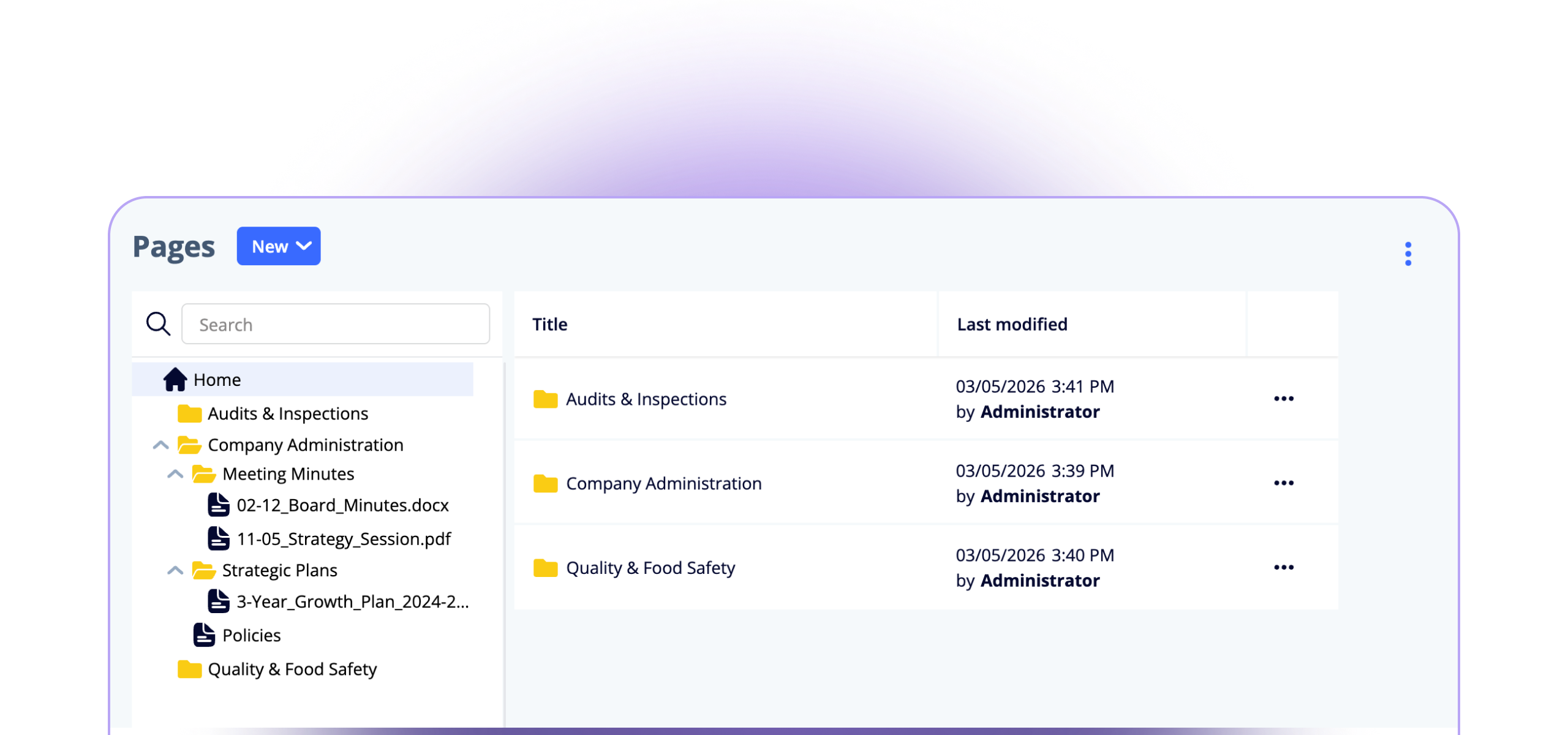
Pages started as a beta but has grown into a full document manager inside AmpliFlow.
Today you can upload PDF, Word, Excel, and PowerPoint files, assign owners, editors, and readers, print pages with a clean layout, and generate PDFs directly from pages and markdown. Permissions on folders, pages, and files have also become clearer, with visual indicators and a history of permission changes.
Pages is no longer a side track inside the system. It is the place for procedures, policies, and controlled documentation, with permissions that work for organisations handling ISO 27001 and GDPR requirements.
ISO controls and SoA work moved closer to reality
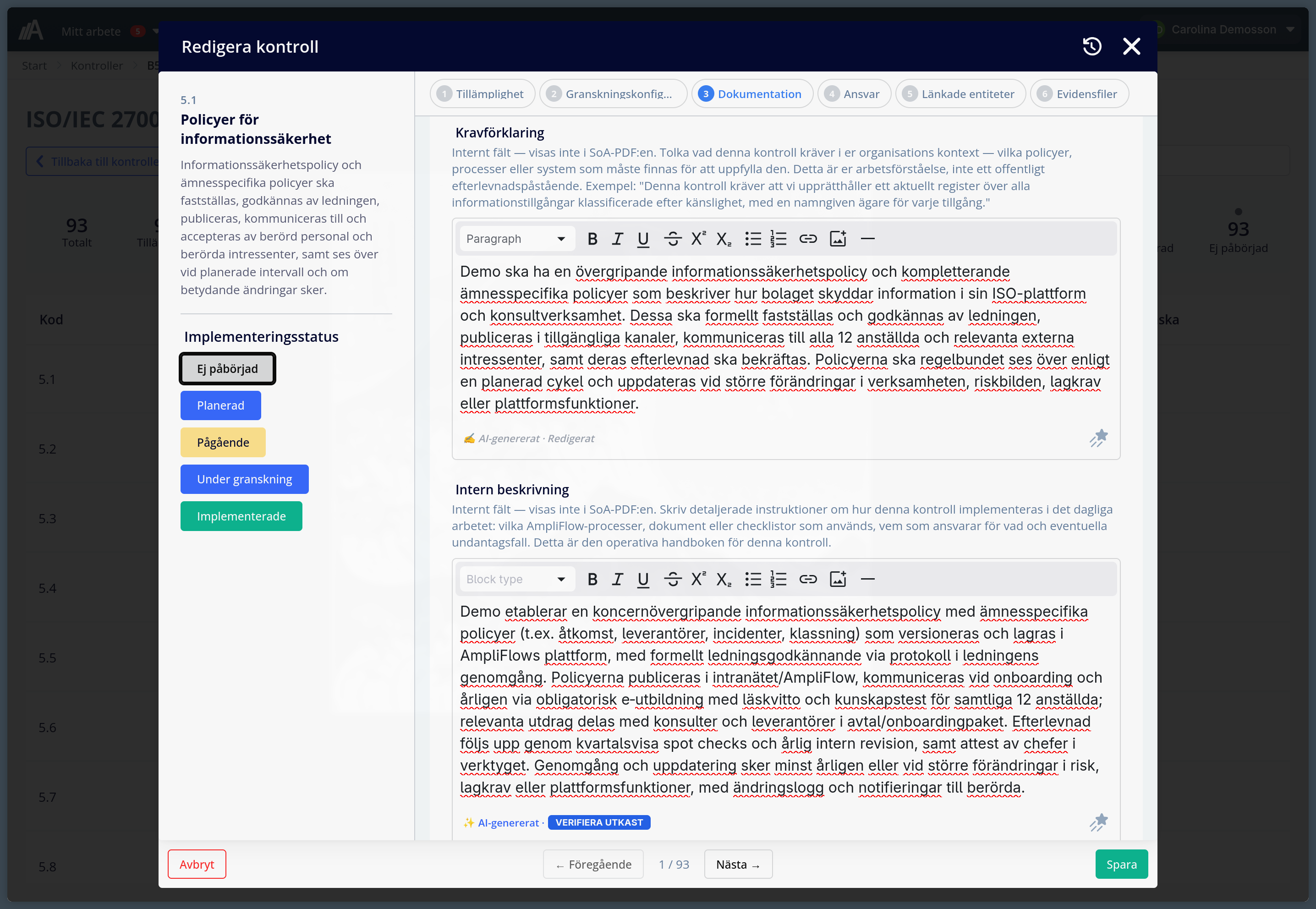
For teams working with ISO 27001 and ISO 42001, Controls has become a more important part of AmpliFlow. It includes a Swedish control library for Annex A in ISO/IEC 27001:2022, and the same working model can be used for control sets in ISO 42001. You can work with control sets, applicability, implementation descriptions, documentation links, and SoA export as PDF.
The biggest difference is that the work no longer needs to be split as much across separate spreadsheets, text documents, and support systems. Control follow-up, applicability, and documentation can stay closer together. During this period the module also gained support for custom controls, so you can add controls that matter to your specific business alongside the standard ones.
Other management-system areas also became clearer. Environmental aspects received a more pedagogical form with sections and clearer guidance, and Employee reviews became easier to follow up because previous reviews and earlier tasks are shown more clearly together.
Timesheets got better memory and better context
Timesheets become easier to live with when rows stay put, pages remember what the user just did, and the calendar helps reconstruct the week.
AmpliFlow got better support for using calendar events as context when reporting time. You can connect an external calendar, such as Outlook or Google Calendar, and let meetings and bookings help the user understand what the week actually looked like. Matching rules can now also link events to projects, tasks, and milestones.
At the same time, we worked on the things that usually annoy people most in practice: rows disappearing, pages forgetting what the user just did, or large views feeling slow. Suggested and manually added timesheet rows now stay in place better when you change week or reload the page, and performance improved in views with many rows.
Checklists, PDFs, and custom lists became more useful
Much of what makes a management system good does not show up in a big launch. You notice it when a report prints correctly, when the right data follows into the PDF, and when a user avoids duplicate work in checklists and registers.
Over the last year, PDF templates gained more control over layout, image widths, font sizes, and what should be shown. Checklist reports can now be downloaded as PDF, printed more completely, and sorted in more ways.
Values from custom lists can also follow into PDF reports, which is especially useful for businesses that use checklists together with equipment, material, batches, or other structured registers. Custom lists also received better bulk editing, file uploads, name display, and reference handling.
Tables, filters, and navigation interrupt less
Alongside the larger updates, a long list of smaller improvements made the system more comfortable to work in.
The dashboard received a new beta with widgets. The top navigation replaced the side panel and made areas clearer. Cmd+K, or Ctrl+K on Windows, makes it easier to jump straight to the right module. Filters are easier to share, tables show loading more clearly, and sorting behaves more like users expect.
There were also improvements to uploads, Excel exports, report filters, user display, Teams on iOS, and first-page load performance. None of those is the single biggest update. But together they help AmpliFlow interrupt work less often.
Production, labels, and AmpliFlow Box moved closer together
For businesses working close to production, labelling, or print flows, AmpliFlow Box became a clearer step forward. It can connect devices, status, and print queues to the same checklist flow the rest of the business already uses.
QR codes are supported better both as a barcode type and in label templates. Logs can be filtered by time, and barcode field validation became clearer. That helps checklists, labels, and printouts stay inside the same workflow.
AI support became broader but also more clearly bounded
We also expanded the MCP connection, the interface that lets AI assistants work with AmpliFlow in a controlled way.
In practice, that means assistants like ChatGPT or Claude, when correctly connected, can read more parts of AmpliFlow and in some cases also help create or update content. That includes projects, tasks, checklists, processes, risks, improvements, controls, news, and several other parts of the system.
At the same time, we made the boundaries clearer. Read-only mode shows no write tools. Public unauthenticated requests are blocked by default. Tools describe more clearly what they are allowed to do. That is an important part of making AI support useful without making it vague or risky.
If you only want to start with five things
Start here:
- Open Projects and see whether you can gather planning, tasks, and discussions in the same place.
- Publish a Year Wheel as a calendar subscription and add it to Outlook.
- Try News for internal information that should be read and acknowledged.
- Open Controls and see whether SoA work can move into AmpliFlow.
- Try timesheets with calendar context if your team currently reports time after the fact from memory.
If you want every release in detail, the full archive is in the changelog.
Send ideas to feedback.ampliflow.com
We launched feedback.ampliflow.com, an open portal where you can suggest new features, see what other customers want, vote on ideas, and follow status. It is the simplest way to influence what we build next.
Thank you for everything you send in
Much of the work above exists because one of you said: “this should be easier” or “why does it not work like this?”. Thank you for all the questions, bug reports, requests, and sharp comments you keep sending us.
If you want to decide whether Projects, Year Wheels in Outlook, internal News, Pages, or ISO controls should be enabled for you: contact support or book a walkthrough with us.