
Custom controls, calendar input, and faster project work
This update makes several everyday parts of AmpliFlow simpler: controls, timesheets, project tasks, and process maps. You can add custom controls, use an external calendar as support when reporting time, and add project tasks with fewer steps.
Project lists also open faster, especially when you have many projects, tasks, and comments.
What’s new
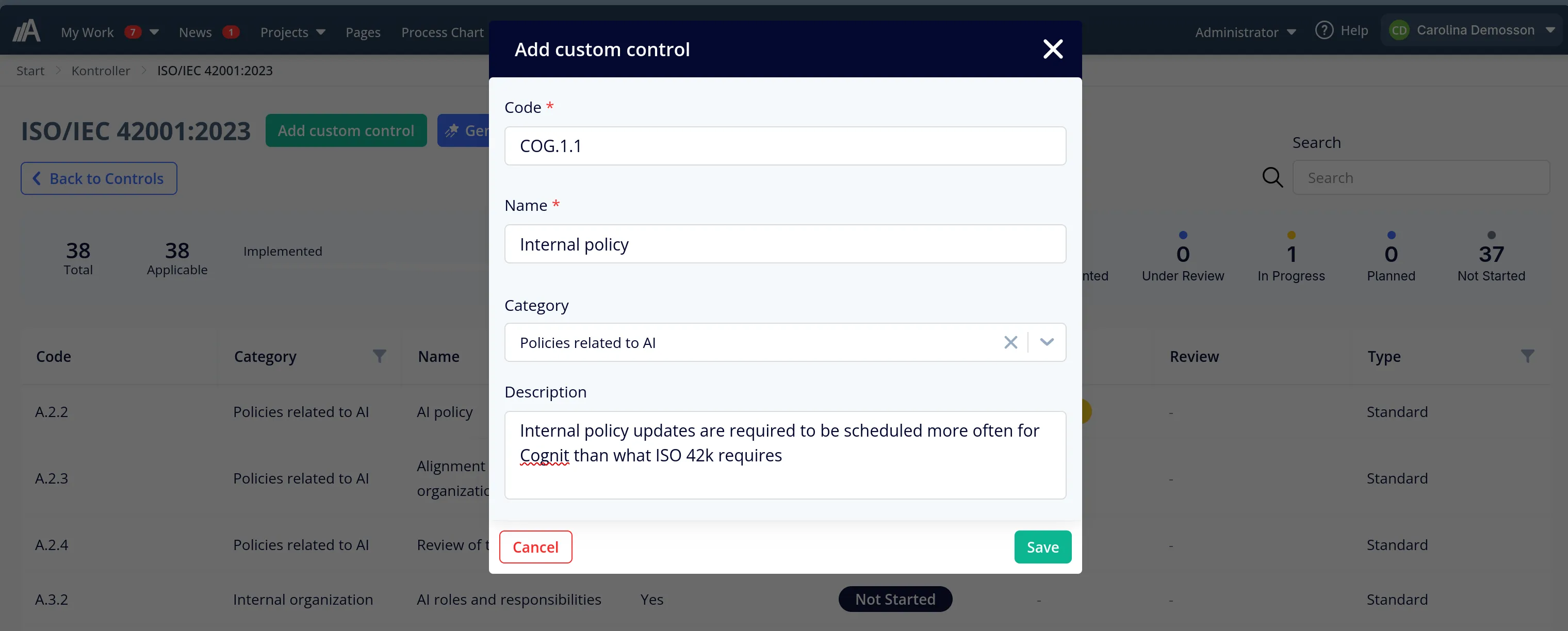
- Control sets can have custom controls. Add your own code, name, description, and category. Then manage those controls next to the built-in control catalogue. This helps when you need controls for your own company, not only the preloaded standard list.
- Timesheets can use an external calendar as input. Connect a calendar, for example Outlook or Google Calendar, and create rules that link calendar events to the right projects and tasks. When you report the week, you can see your meetings in AmpliFlow and fill in time faster. This is not a two-way sync: AmpliFlow does not change your calendar, and the calendar becomes support for reporting, not a finished timesheet.
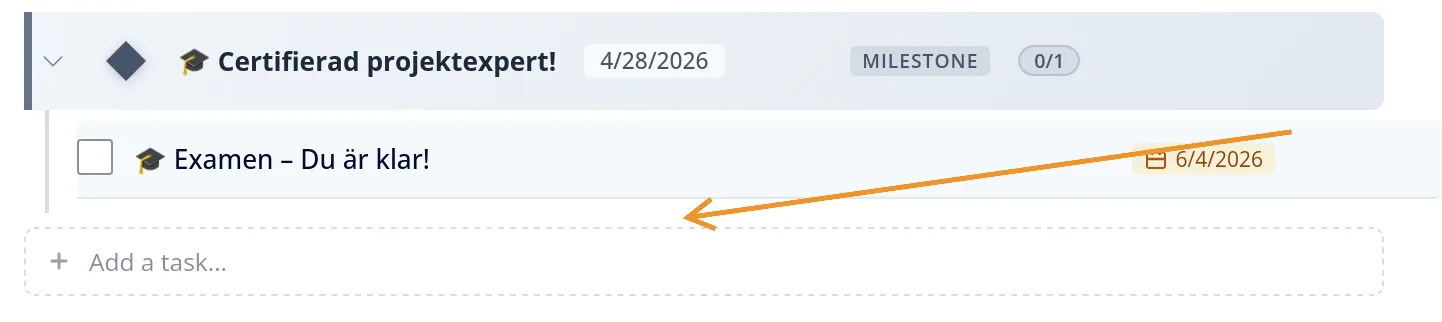
- Project tasks can be added directly in the list. Type a new task without opening a separate form first. This makes it faster to capture work while you are reviewing a project.
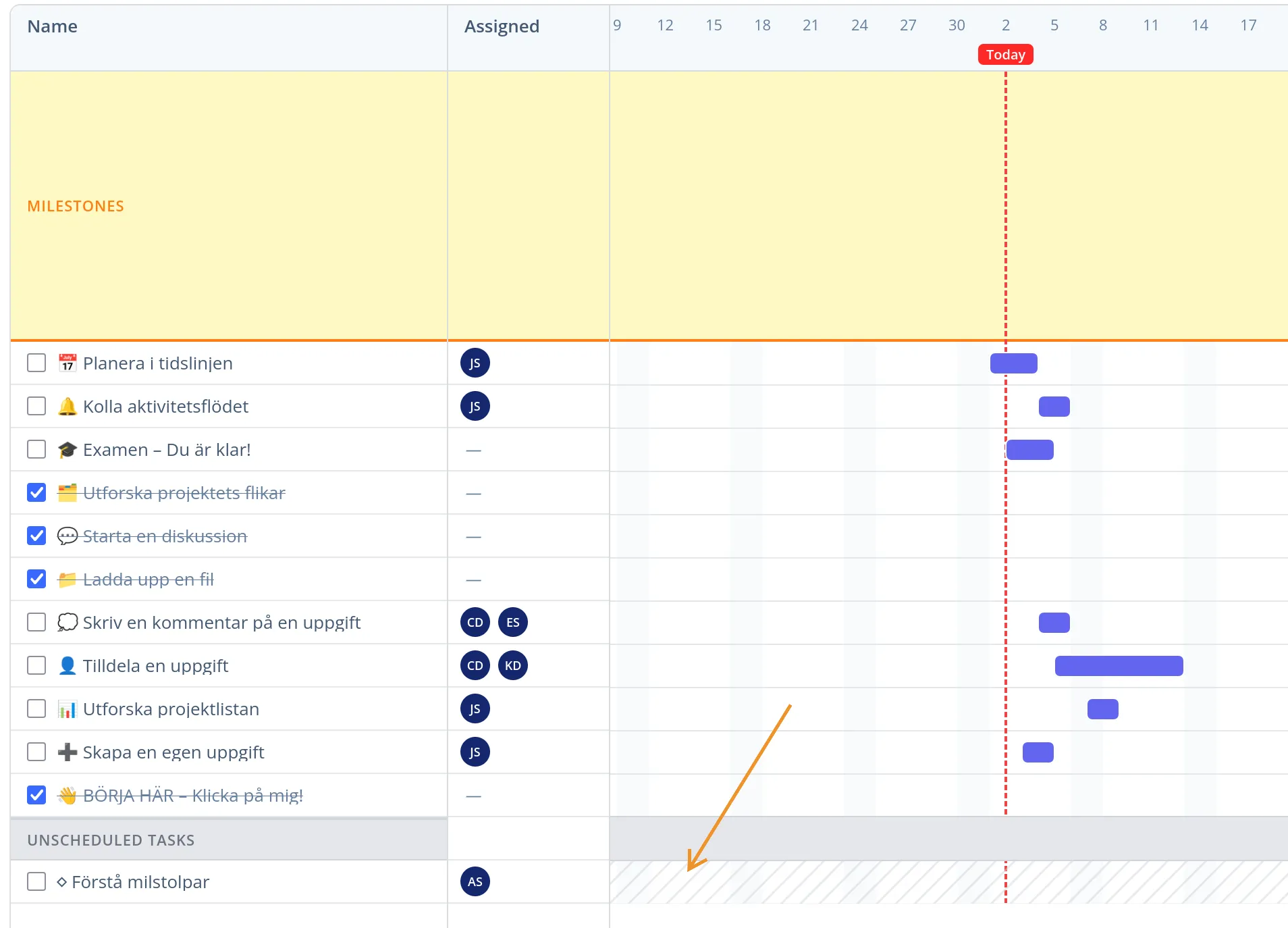
- Timelines show tasks without dates. Tasks without start or due dates appear in their own unscheduled section instead of disappearing from the timeline. Select a range directly in the dashed area, from start to due date, to set dates for the task.
- Tasks can be completed from the timeline. Check off a task directly in the timeline when you are reviewing the work.
Improvements
- Project overviews feel faster. Cards, tables, and timelines open faster, even when there are many tasks and comments.
- Process maps can be colour-coded. Several customers have asked for an easier way to mark important parts of a process map. You can now colour parts of the map so that responsibility, status, or key steps stand out during reviews and improvement work. Menus also have clearer text, and the map jumps less when you move between subprocesses.
- Milestones and task lists are clearer. Milestones show how many tasks are done, buttons look more consistent, and save and cancel controls take up less space.
- Year Wheel editing is safer. It is easier to update items and categories without mistakes, because AmpliFlow waits for the right information before edit buttons can be used.
- Purchase orders work better with several lines. Adding several lines to the same purchase order is more predictable.
Fixed bugs
- Barcode labels use the right data when printed. This makes printing more reliable when a checklist step is completed.
- Tasks no longer become overdue too early in the day. A task due today no longer appears overdue just because the day has started.
- Process maps jump less when you open subprocesses. They also show more clearly when the map is still loading.
- Security maintenance was done in the background. Some technical parts were updated as part of regular maintenance.
Related updates: the MCP update after this one opened more AmpliFlow workflows for AI assistants, including projects, goals, risks, improvements, and controls. The next weekly update continued with faster timesheets and clearer AmpliFlow Box logs.
Have feedback on custom controls, the calendar connection, or the project timeline? Contact support.
This page is also available in Swedish.