
Environmental aspects redesign, news drafts, project favourites, and Year Wheel fixes
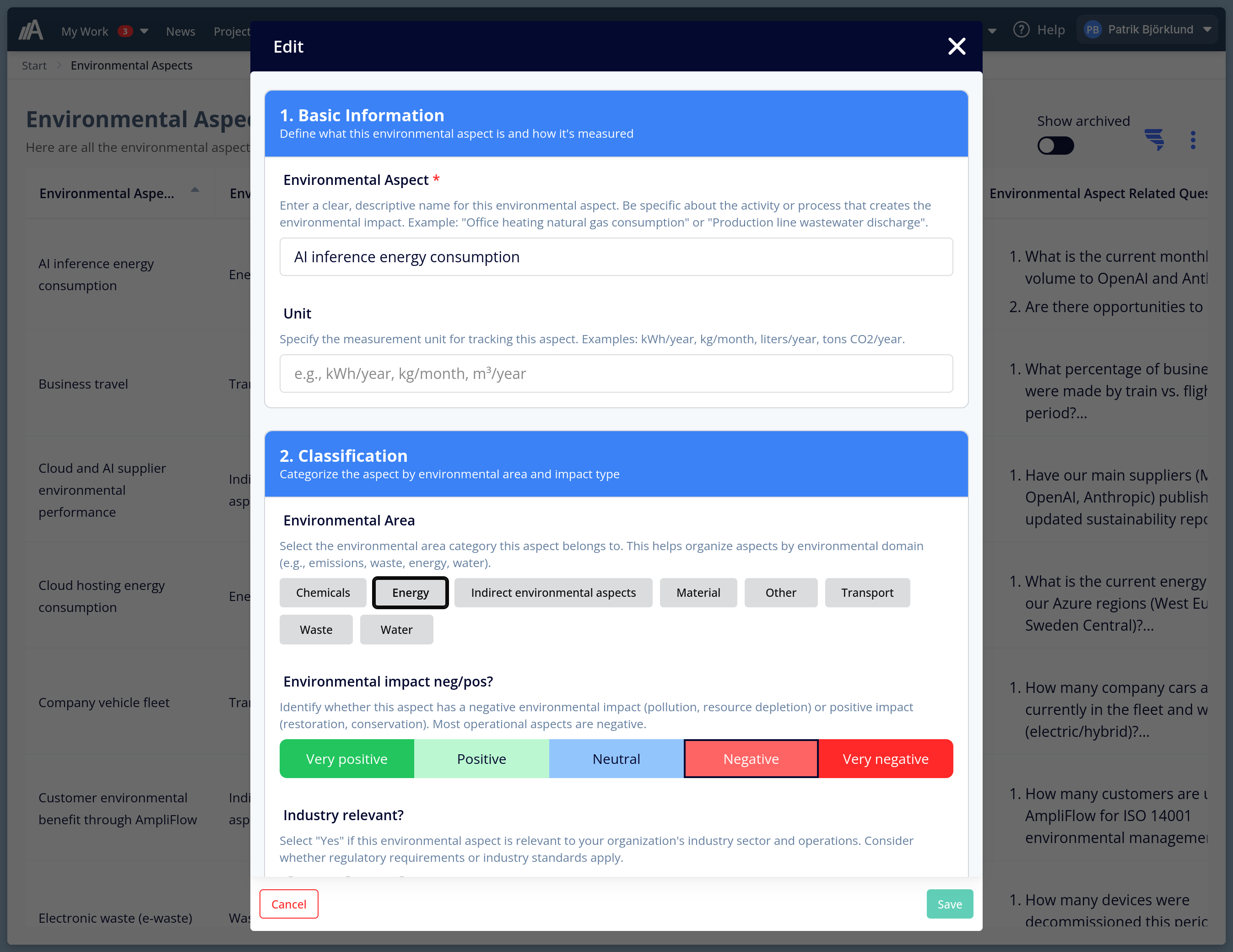
The environmental aspects form got a proper overhaul this period. Five numbered sections, guidance text on every field, and visual selectors instead of dropdowns. It’s a pattern rolling out across 20+ other ISO forms in AmpliFlow.
What’s new
- Environmental aspects form redesigned. The form is now split into 5 numbered sections: Basic Information, Classification, Assessment Information, Risk & Significance, and Management. Every field has guidance text explaining what to fill in and why it matters for ISO 14001. The Environmental Impact and Risk Classification fields are now color-coded button selectors instead of dropdowns, making your current selection visible without opening a list. Users without edit access now see a dedicated read-only view with clear badges for each field value, instead of a disabled edit form.
- News article drafts. You can now save a news article as a draft without publishing it. Drafts are invisible to readers and can be published when ready. A published article can be taken offline (converted back to draft) without deleting it. The content stays and can be re-published later. Articles that previously used a far-future publish date as a workaround to hide them have been automatically converted to proper drafts.
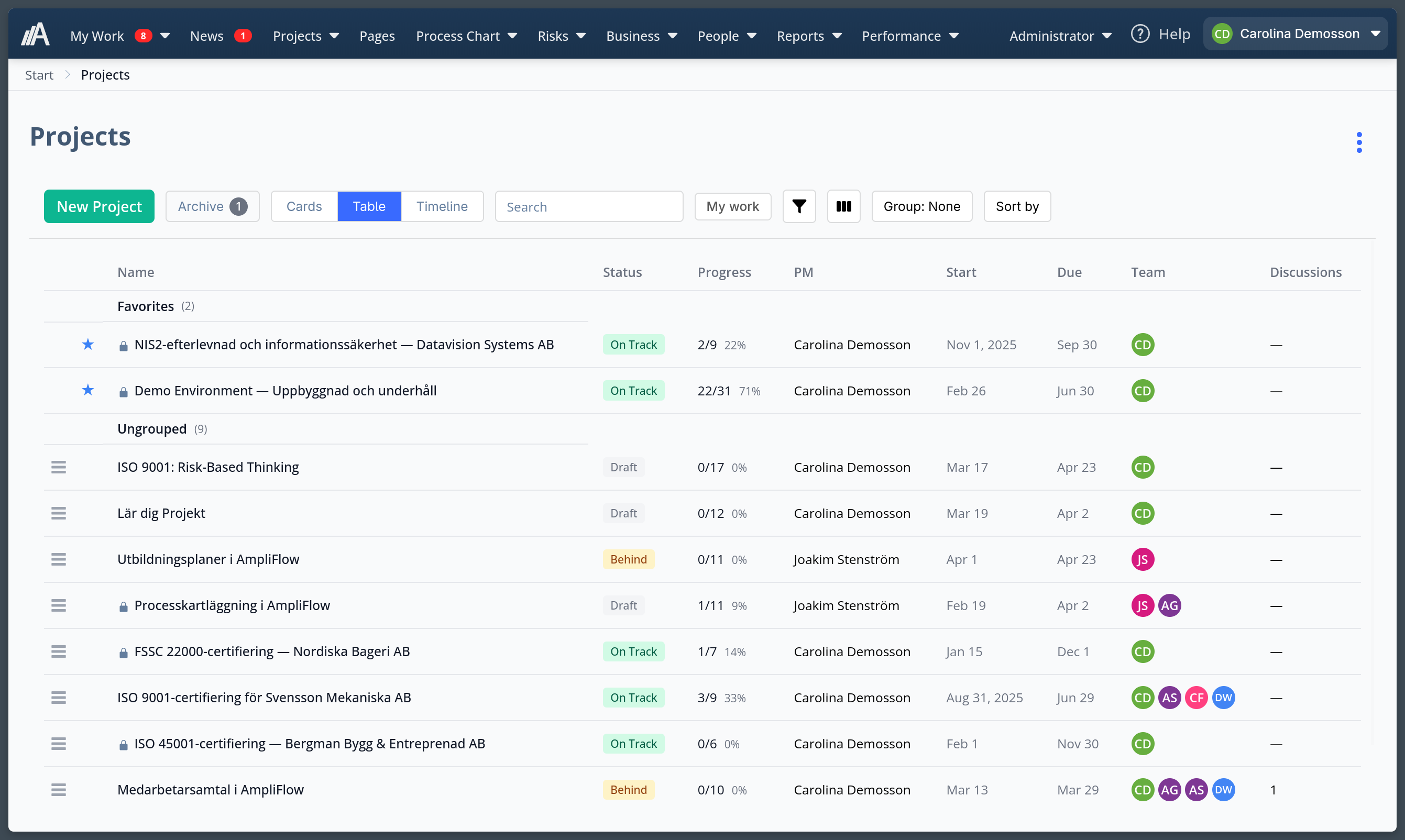
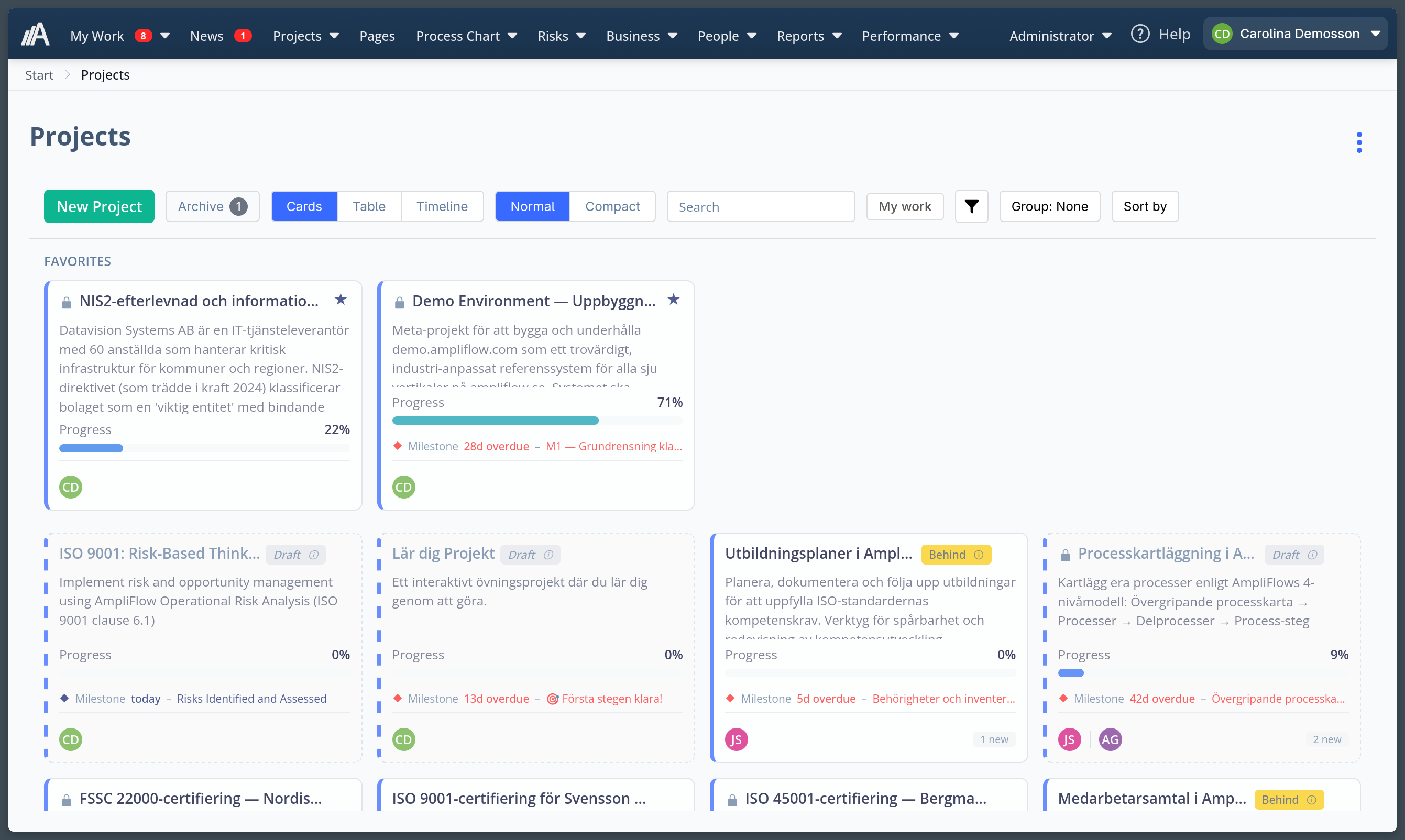
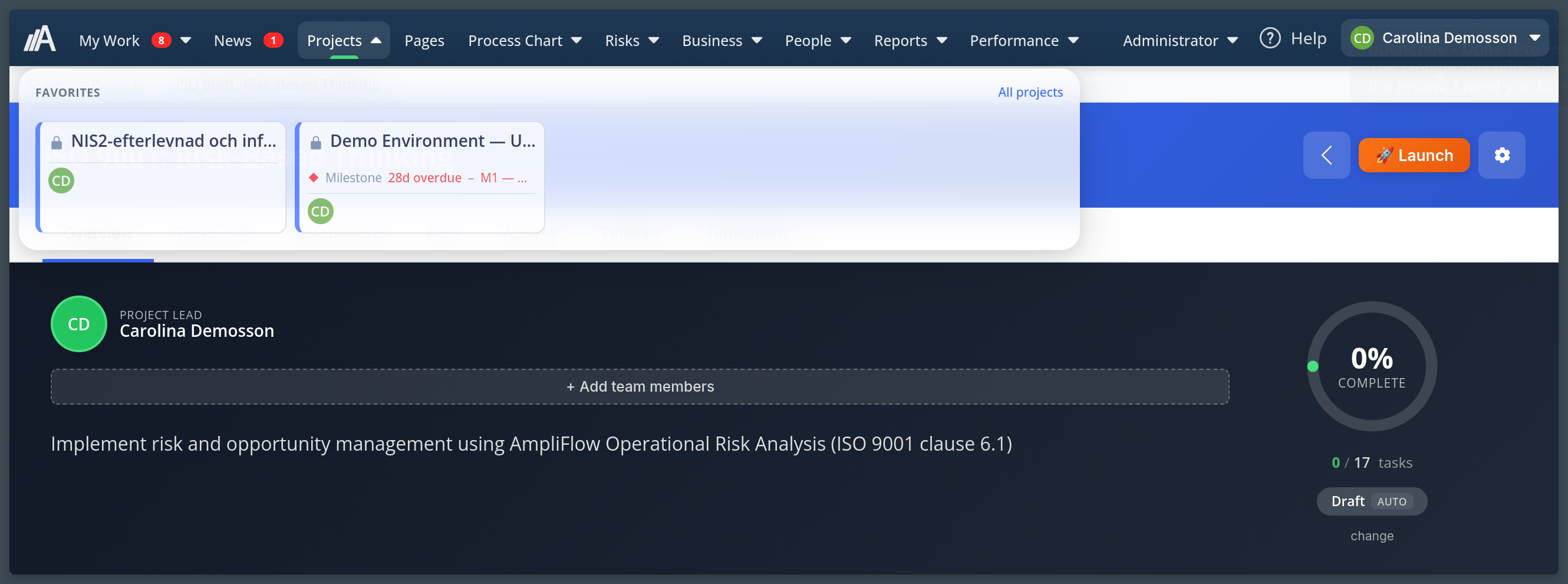
- Favourite projects. Star projects to pin them to the top of the project list. Favourites also appear in the navigation mega menu under Projects.
- Project task filtering. Filter tasks within a project by unread status and free-text search on task name. Column widths in the timeline view are now resizable.
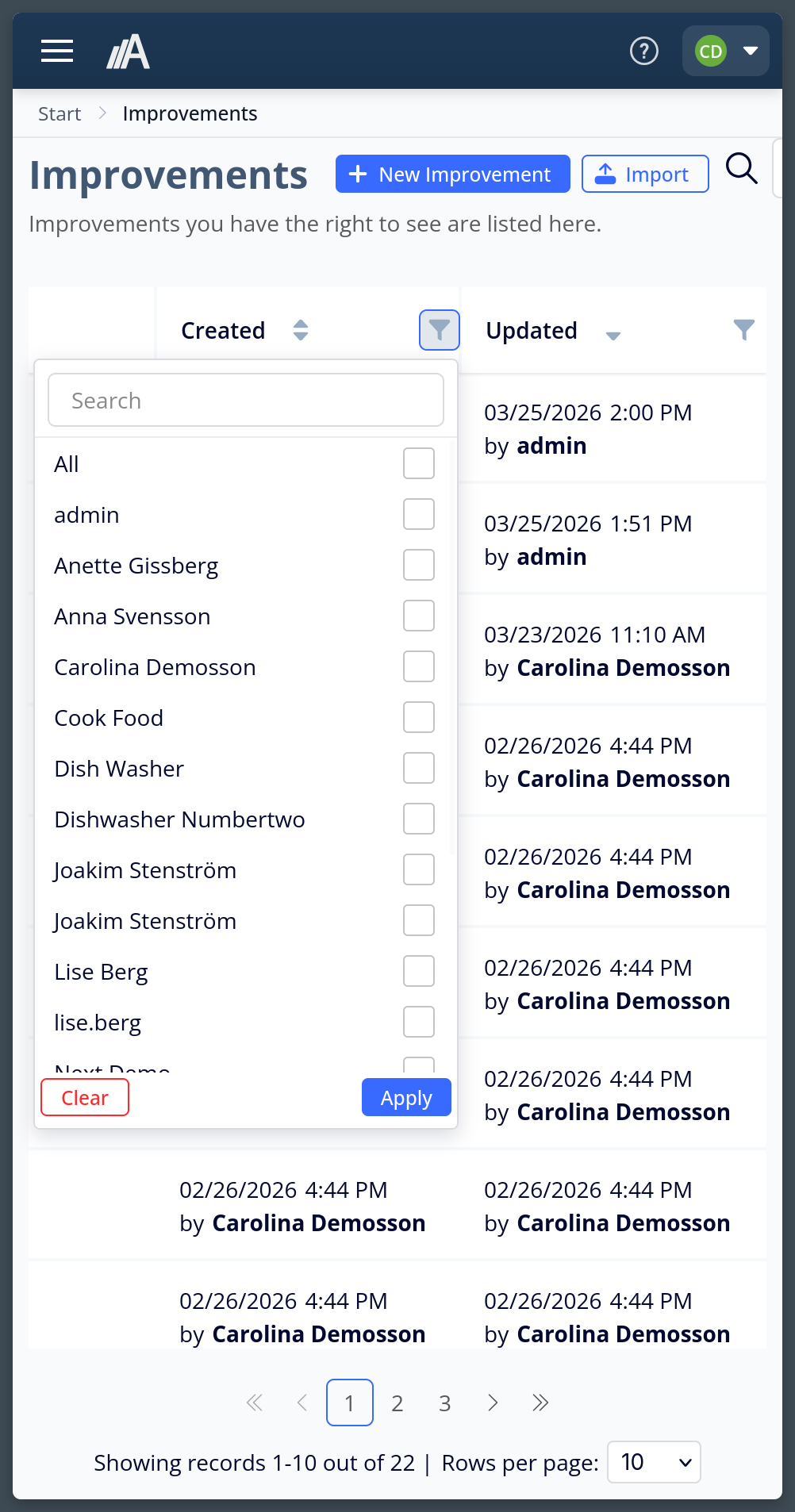
- Filter improvements by creator or updater. In the improvements list, the Created/Updated column now has a filter for which user created or last updated each improvement. Handy before a staff appraisal: filter by an employee’s name to check whether their improvements are up to date.
- Email notifications on news comments. When someone comments on a news article, an email goes to the article author and any article-level owners.
Improvements
- The Templates page no longer has a collapsible filter panel. Status filters sit directly in the table column header, and search is in the page header area.
- The project settings button is now a cogwheel icon instead of a pencil, making it clearer that it opens project settings rather than editing the project name inline.
- News article excerpt text is now properly stripped of formatting before appearing in lists and widgets.
Fixed bugs
- Year Wheel: activities spanning the full year (January through December) rendered as a thin line instead of a complete ring. Fixed.
- Year Wheel: recurring activities set to repeat across all months only appeared in one month. They now show correctly in every month they repeat.
- Year Wheel: ring ordering was driven by hardcoded Swedish category names. It now respects the sort order you set for each category.
- Year Wheel: activity labels could overflow into adjacent segments. They now stay within their arc.
- Cancelling an edit on a custom task activity incorrectly updated the last-edited timestamp. Fixed.
- Tasks not completed when creating a new improvement were appearing in the improvement’s history log. Fixed.
- The recurrence schedule modal could not be closed on mobile. Fixed.
- The Positions page had overlapping header elements on narrow screens. Fixed.
- KPI bars were nearly invisible when a monthly value was close to zero or negative. A minimum bar width is now enforced.
- Several layout issues on smaller screen sizes have been resolved.
- Page size was incorrectly reset when navigating via a link that included filters but no explicit page size. Fixed.
- The MDX editor did not handle pasted images that were not in raw format. Fixed.
Questions about any of these changes? Contact support@ampliflow.com.
This page is also available in Swedish.