
When you need to update several records in the same register, you can edit them in a grid instead of opening each record separately. Bulk edit is available on most registry pages in AmpliFlow. This guide uses Stakeholders as an example.
Open bulk edit
- Open the register you want to update.
- Click Bulk edit at the top right above the table. Hover over the icon to see the button name.
- Edit values directly in the grid. For columns with a list of options, choose a value from the list.
Copy a value to several rows
To fill the rows directly below a cell, select the cell and drag the small square in its bottom-right corner down. In the example, we fill several rows with Medium-High in the Level of interest column.
You can also copy and paste:
- Select the cell containing the value you want to reuse.
- Press Ctrl+C to copy it.
- Select one or more cells in the same column and press Ctrl+V. The pasted value replaces the previous contents of the selected cells.
Copy the table to a spreadsheet
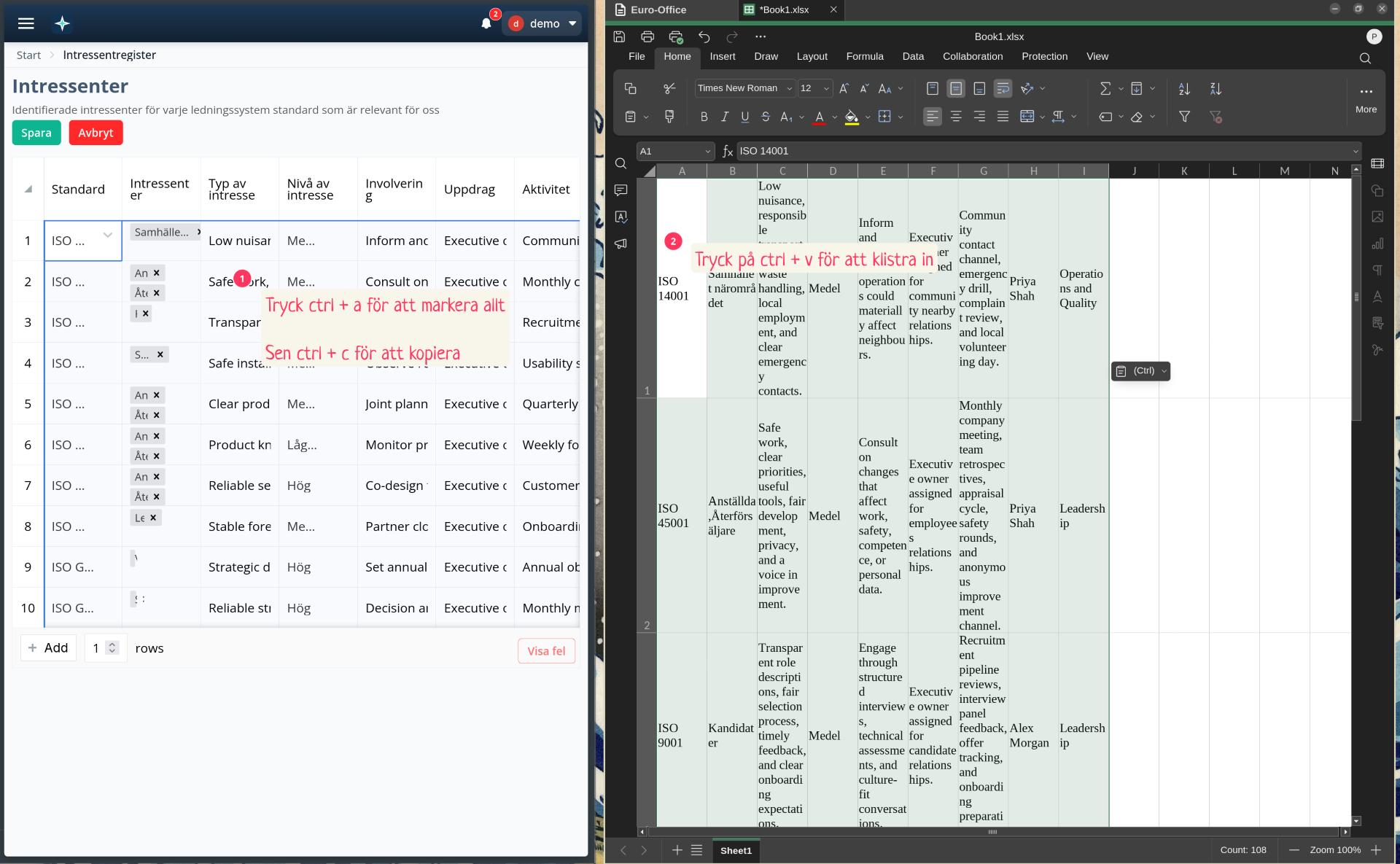
- Click a cell in the bulk edit grid. Press Ctrl+A to select the entire table, then Ctrl+C to copy the values.
- Open your spreadsheet, select the cell where the table should start, and press Ctrl+V.
Save or discard your changes
Check that you edited the intended cells, then click Save. To leave without saving, click Cancel and confirm with Discard changes.